The interface is now easier to use. New features have been added. And the Android app is rolling out.
Important: Due to the platform upgrade, our Support team is currently experiencing a higher-than-usual volume of requests. We appreciate your patience and assure you that every inquiry will be reviewed and answered as soon as possible.
Key Takeaways
The interface has been fully redesigned. And now it’s fully optimized for mobile devices.
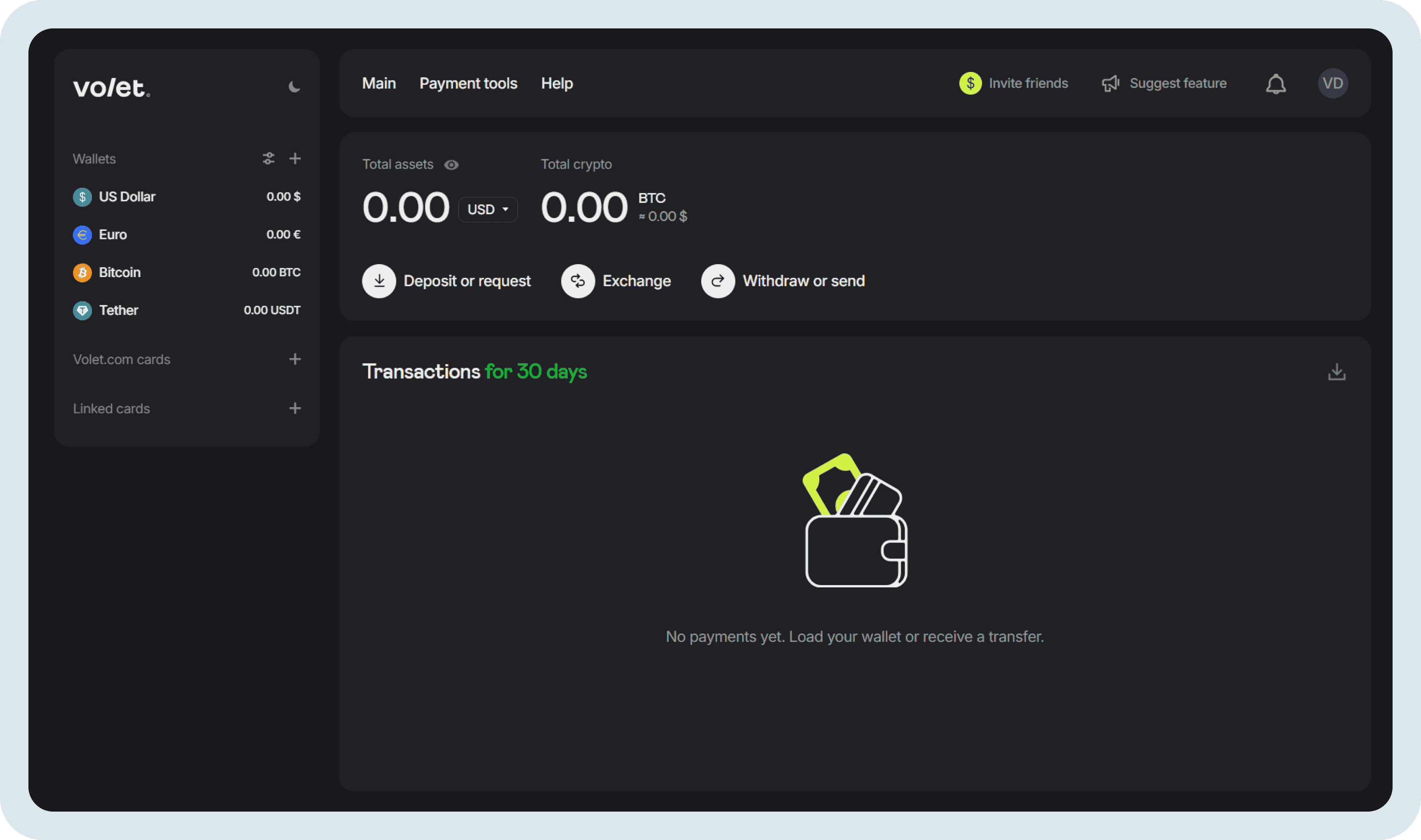
Common actions are now more clearly organized. For example, now you can exchange fiat, crypto, and stablecoins from one page or open wallets and cards directly from the left menu.
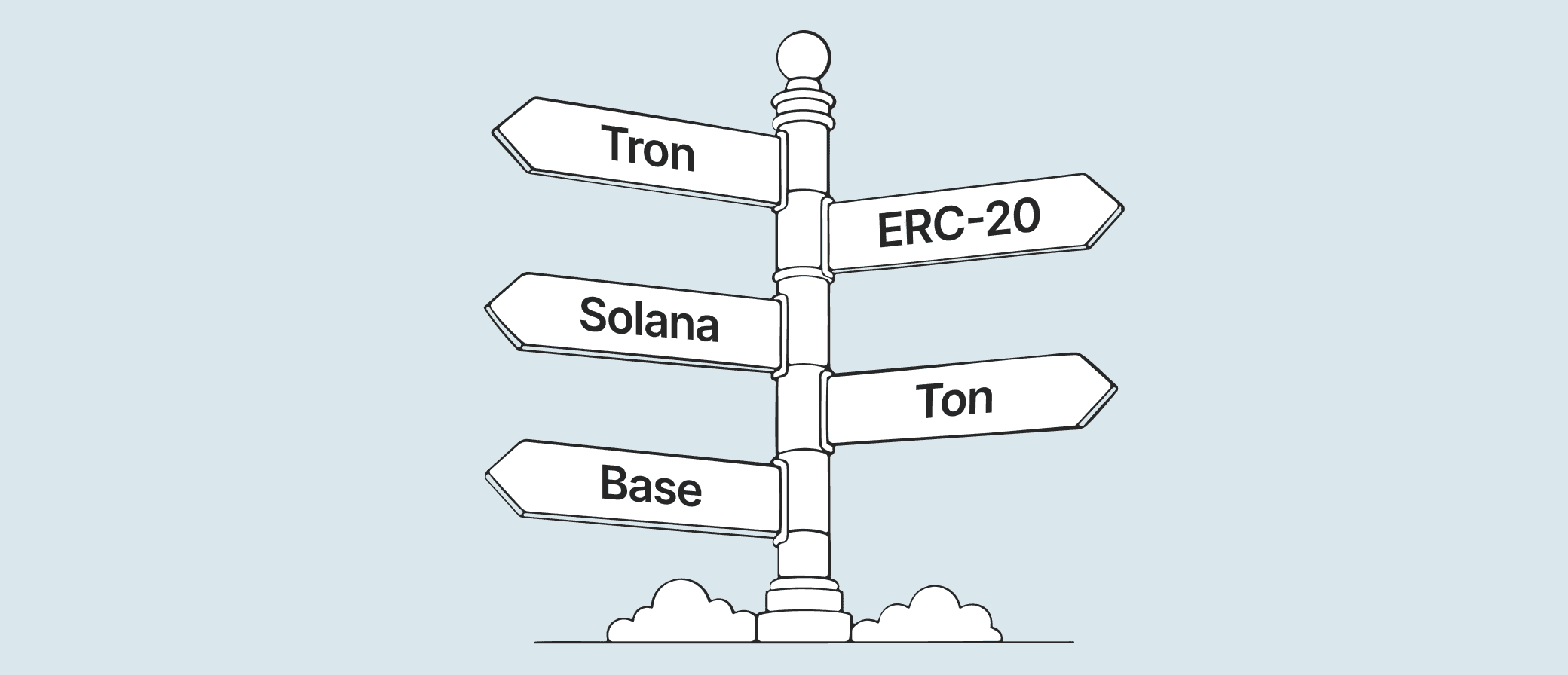
You now have a single balance for USDT or USDC regardless of the network. For example, you can receive USDT via the Tron (TRC-20) network and then send it through the Solana network without any additional fees for transferring funds between networks.
Sign in with Google and Telegram is now available.
All your current balances, settings, and data were migrated automatically. No action needed.
A New Look, with a Familiar Structure
The redesign is significant, but the overall navigation structure stays in place, so you will not feel lost on your first login.
Wallets and cards in the left menu are now clickable items
Everything feels more immediate and less layered:
You can deposit, exchange or withdraw funds from any wallet from buttons on the main page.
Or you can do the same by selecting the wallet you need from the left menu first. For crypto wallets you can also buy and sell crypto.
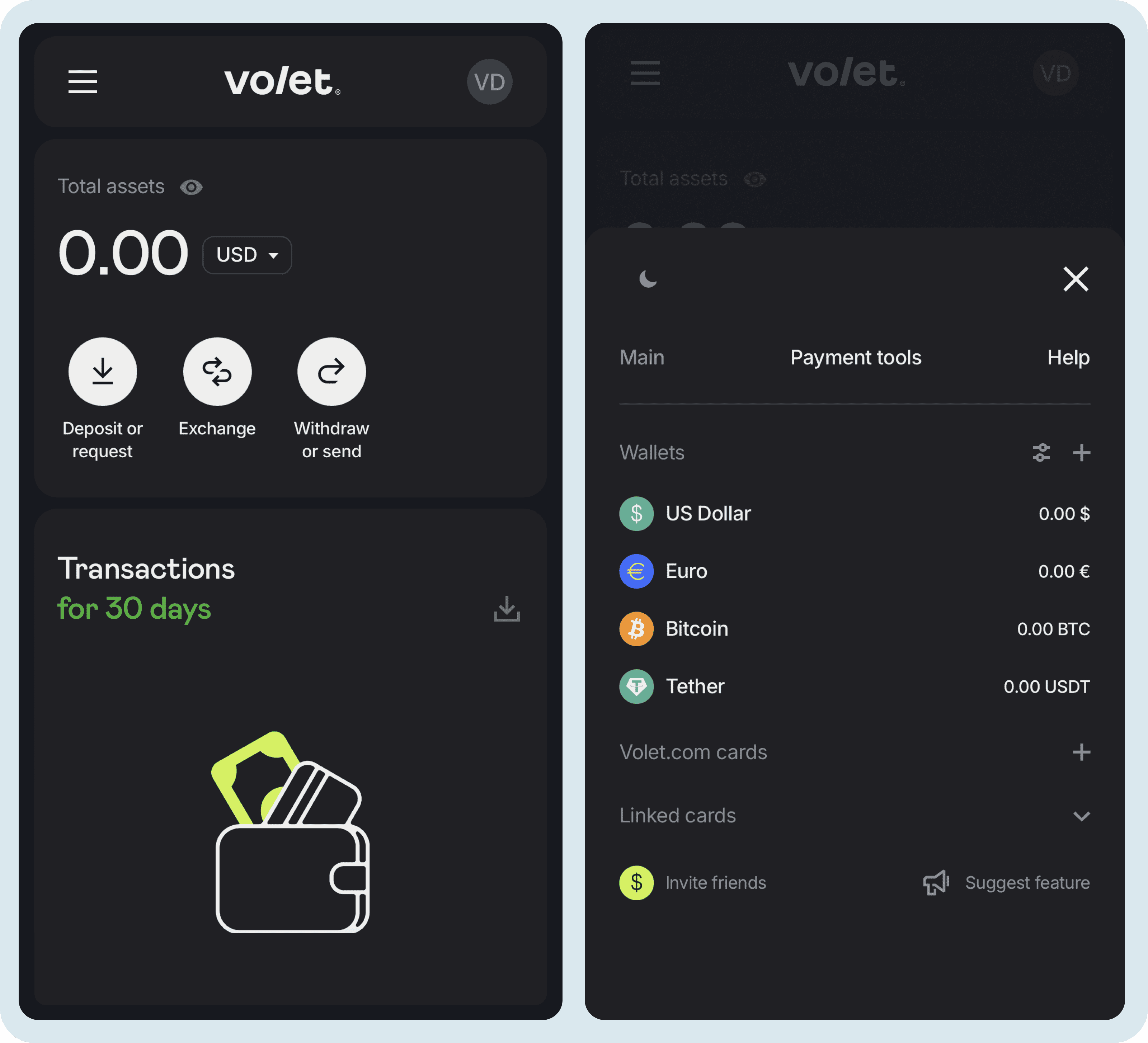
And now the interface is fully optimized for mobile devices. It is an important step toward the launch of the Volet.com mobile app.
To open the list of wallets in the mobile version of your account, tap the three-line menu icon in the top-left corner
The Android app will become available within the next few weeks. The iOS app will be a bit later due to Apple's review process with strict requirements for apps that work with crypto.
The app will not be available in every country. Users in unsupported regions will still have access to a fully adaptive mobile version of the personal account in their browser. It is designed to provide nearly the same experience as the mobile app.
Follow us on social media so you don't miss the app launch:
The old exchange tool only worked between fiat wallets. If you wanted to move value between crypto and fiat, or between two crypto assets, you had to go to another section.
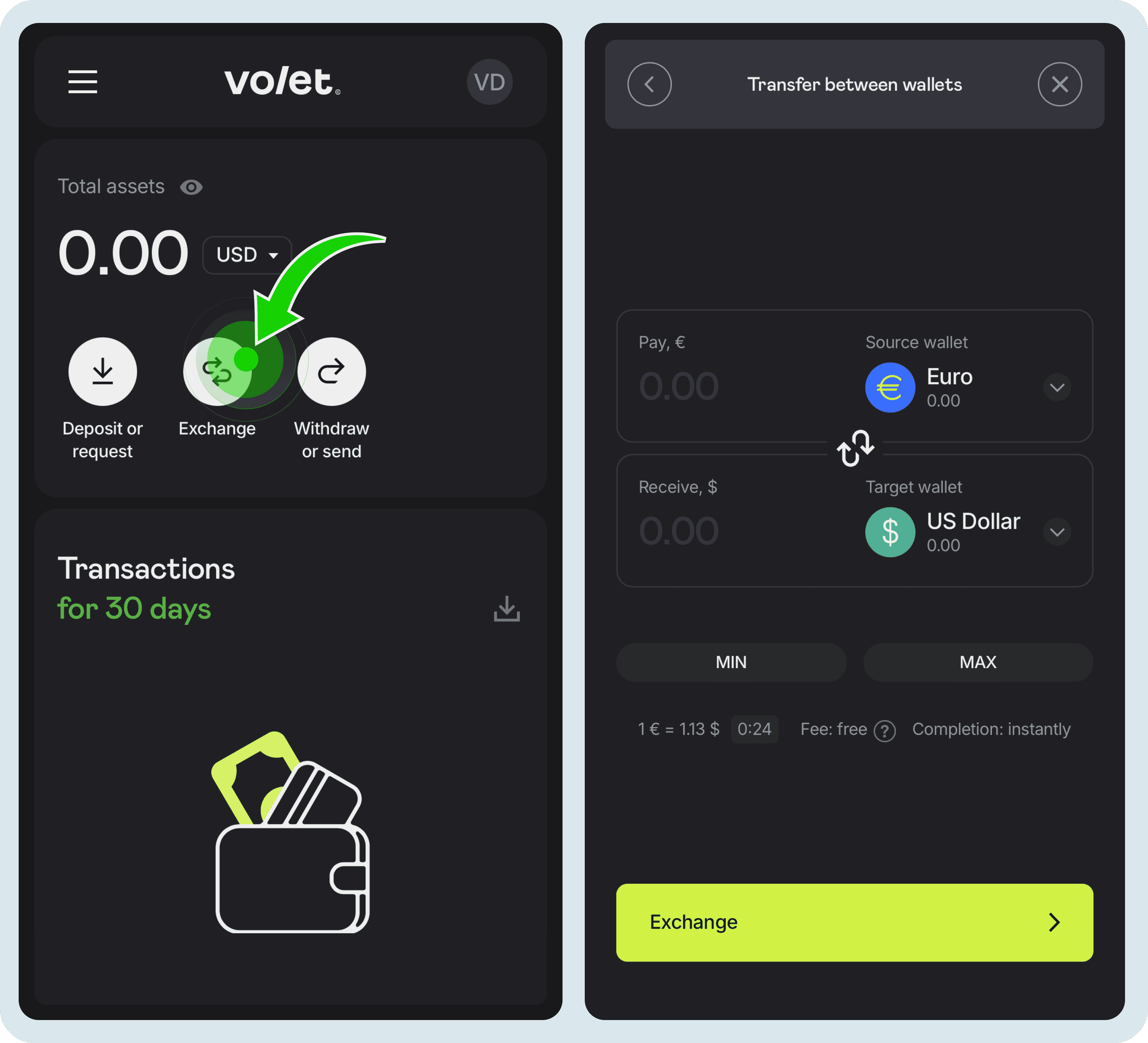
Now in the ‘Exchange’ section you can exchange between any wallets in your Volet.com account. Fiat to crypto, crypto to stablecoin, stablecoin to fiat. All in one place, with no extra steps.
You'll see the exchange rate and the fee before confirming the conversion
One USDT Wallet, One USDC Wallet, Multiple Networks
Previously, each network had its own separate wallet. If you used USDT on TRC-20 and also on BEP-20, those appeared as two different wallets in your account.
The new approach works the way major exchanges handle it. You have one USDT wallet and one USDC wallet. Stablecoins received across different networks are automatically combined into a single balance in your wallet. You can then withdraw the entire amount using whichever supported network is most convenient for you.
For example, one customer sends you 100 USDT via the Tron (TRC-20) network, and another sends you 250 USDT via the Ethereum (ERC-20) network.
Your unified USDT wallet will display a total balance of 350 USDT. You can then withdraw the entire amount using any supported network you choose, such as Solana or TON.
The full list of supported networks is now:
USDT: Ethereum (ERC-20), BSC (BEP-20), Arbitrum, Optimism, Polygon, Avalanche, Solana, TON + Tron (TRC-20).
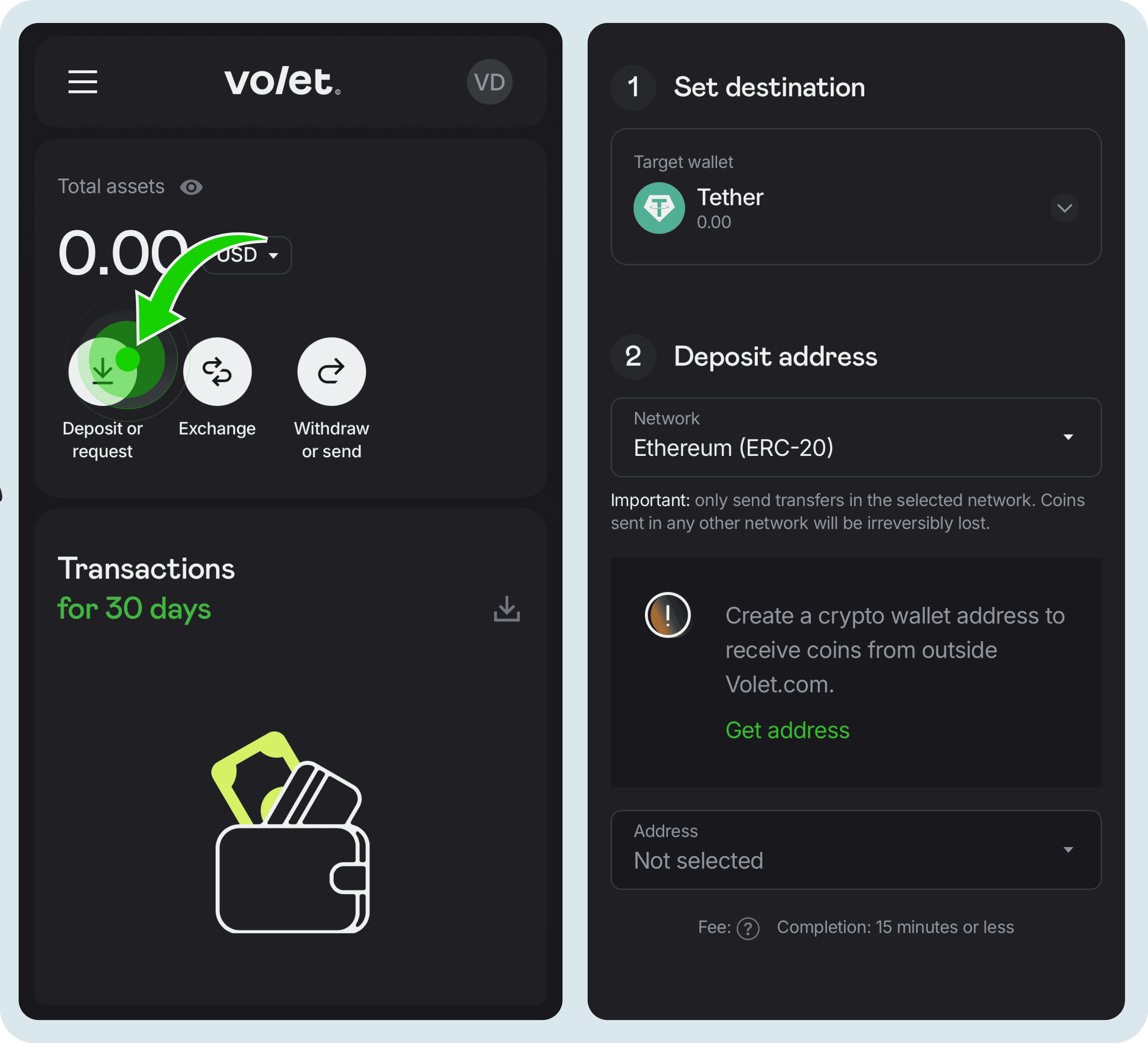
Before your first deposit on each network, you'll need to click ‘Get Address’. It will be generated instantly
Important: Before receiving cryptocurrency, make sure the deposit address matches to the network the sender will use. Even though your USDT and USDC wallets are unified, each supported network has its own separate and unique deposit address.
You have new Wallet Numbers for Volet.com Transfers
The wallet number format has changed. It now includes a currency code at the beginning (for example, USD 1234 5678 9000).
When making a transfer to another Volet.com user, always use the full wallet number, including the currency code. However some third-party services, including cryptocurrency exchanges that work with Volet.com, still use the old wallet number format. They may return an error if you enter a wallet number in the new format.
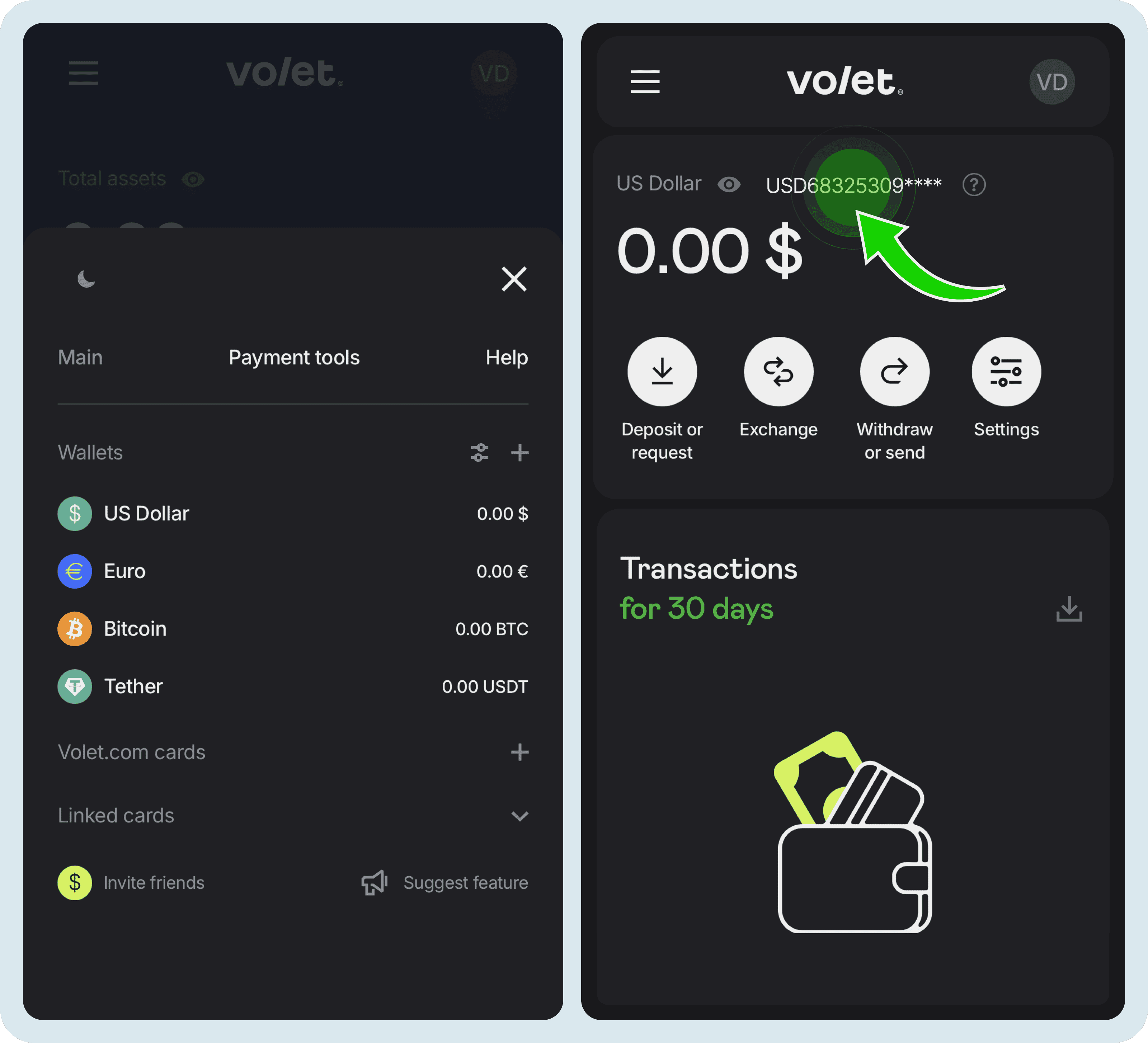
To find your wallet number, click on a wallet in the left menu. On the wallet page, the number appears directly above your balance. Click the wallet number to copy it to your clipboard instead of selecting and copying it manually. This helps avoid mistakes.
Each wallet has its own unique number. For example, if you hold USD, EUR, and USDT wallets, each one has a separate number
You can also send money to another Volet.com user simply by entering the email address linked to their account. No wallet number needed in that case.
A useful reminder: transfers between Volet.com users are always free. No fees apply, regardless of the amount, currency, or cryptocurrency.
Enhanced Security: Device Confirmation on New Logins
Volet.com has strengthened the account security settings. For example, even if someone gets hold of your password, they can’t access your account from an unfamiliar device without an additional confirmation step.
So starting with this update, logging in from a new device requires confirmation. You will receive an authentication code and need to enter it to complete the login. Once a device is confirmed, you will not need to repeat this step for it.
If you are experiencing issues at the device confirmation step:
If you are using a VPN, make sure it is not set to a dynamic IP address.
Check whether your browser has a built-in VPN or proxy enabled, and temporarily disable it.
Complete the confirmation using the same device, browser, network, and IP address that you used to log in. Changing these parameters during the process may prevent the confirmation from being completed successfully.
Try logging in again.
SMS Codes Are Gone. Here Is What Replaced Them
Volet.com has removed SMS one-time codes entirely. SMS-based authentication has known security weaknesses, including SIM-swap attacks.
Instead, you now have three options to choose from:
Authenticator app (such as Google Authenticator or Protectimus Smart)
Email code
Chat bot message (in Telegram, Viber or Facebook Messenger)
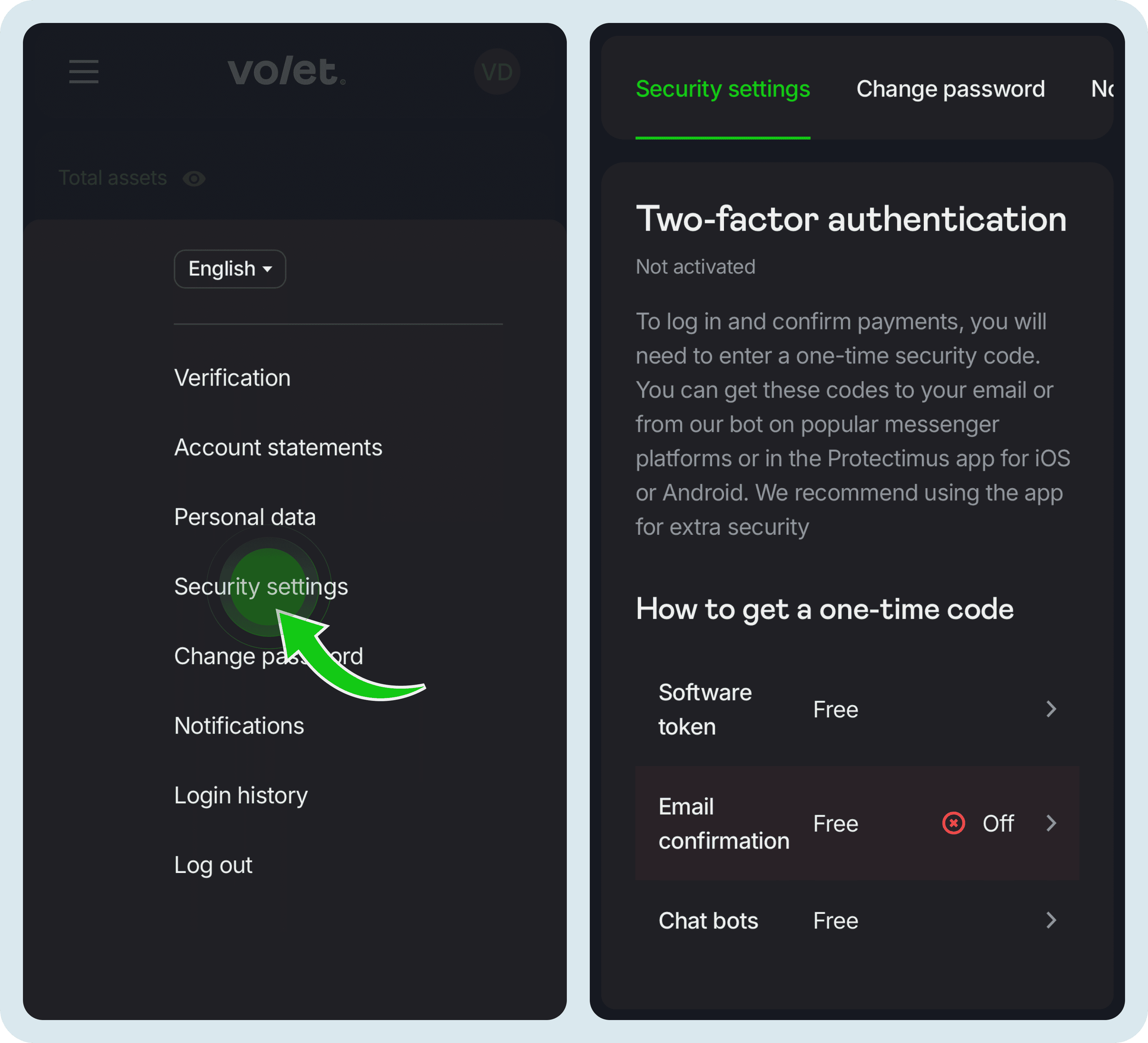
To set up your preferred authentication method, sign in to your account → click the icon with your initials in the top-right corner → ‘Security Settings’ → ‘How to Get a One-Time Code’.
All three authentication methods are free of charge
Sign In with Google and Telegram
Two new login options are available. You can now sign in to Volet.com using your Google or Telegram account.
This is especially convenient if you access Volet.com from multiple devices or if you prefer not to manage a separate password.
If you already have a Volet.com account, you don't need to create a new one using Google or Telegram. Duplicate accounts are not allowed. Simply add Google or Telegram as a new sign-in method to your existing account.
How to add a new sign-in method to your existing account:
Open the sign-in page and, instead of entering your email and password, select ‘Continue with Google’ or ‘Continue with Telegram’.
Sign in to your Google account using the same email address linked to your existing Volet.com account. Or sign in to your Telegram account, then enter the email address associated with your existing Volet.com account and confirm the sign-in with your password.
Once completed, you'll be able to sign in to your account either with your username and password or using your Google or Telegram account.
Your Old Transaction History: What to Expect
All your current balances, wallet addresses, settings, and account data were migrated automatically. You do not need to do anything.
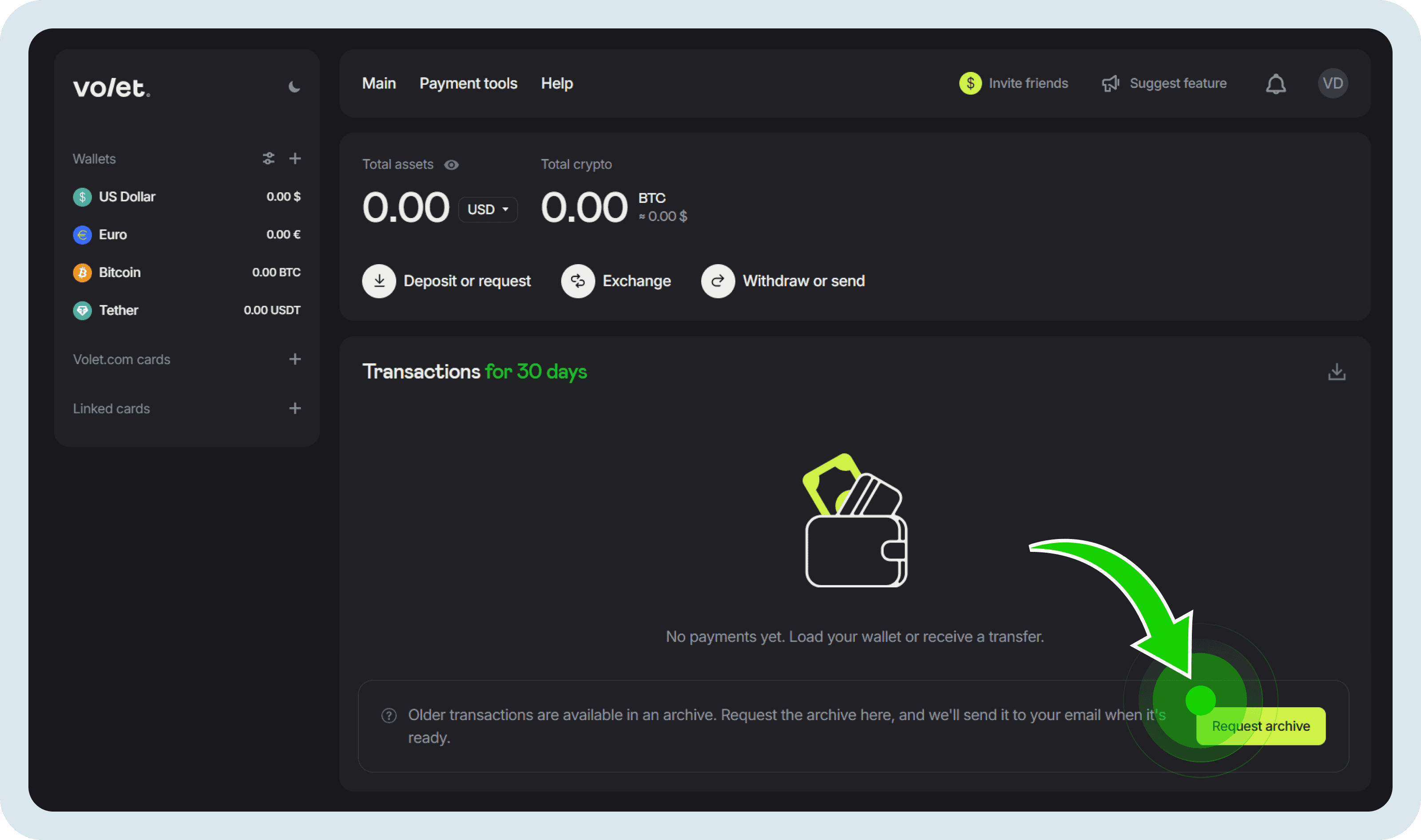
Your previous transaction history has also been preserved, however it is not displayed in the new personal account. You can download it as an archive directly from your account.
How to download your transaction history archive:
Log in to your Volet.com account
Go to Main page and find Transactions section
Click at the green ‘Request archive’ button at the bottom of Transactions section
For Developers and Referral Partners
Two additional changes are worth noting.
API: Volet.com has moved from SOAP to REST API. The old API will continue working for approximately one more year, giving developers enough time to migrate.
Referral partners: The referral link format has changed. To get a new referral link log in to your Volet.com account and click the ‘Invite friends’ button in the top-right corner. If you have a referral link on your website, in content, or in any active campaigns, make sure to replace it with the new one.
Start sending and receiving money today
Use stablecoins for global reach and local fiat rails for easy top-ups and withdrawals.
We put together a FAQ article with answers to the most common questions about the updated account interface. We will keep it updated as new improvements roll out.