Telegram requires its own Stars currency (XTR) for digital goods and services sold inside bots and Mini Apps.
Crypto payment gateways come in for everything Stars doesn't cover: real-world services, physical goods, platform balances, deposits, and B2B payouts. This guide walks through what's actually allowed, two practical ways to set up crypto acceptance, what it costs, and a workaround for the one thing crypto genuinely can't do yet — recurring subscriptions.
Key Takeaways
There are two practical ways to accept crypto from a Telegram Mini App or bot: automated custodial and automated non-custodial (smart contract).
No blockchain currently supports real recurring subscriptions without serious security trade-offs — the practical workaround is a rechargeable in-app balance.
Card payments inside a Mini App's WebView often struggle with 3D Secure and fraud checks — one practical reason crypto tends to work more smoothly in this specific environment.
Fake Mini Apps built to drain connected wallets are an active, growing threat in 2026.
Bots vs. Mini Apps
Most "how to accept crypto on Telegram" content out there is really about bots — you send a payment link or an invoice as a chat message, the user taps it, and a browser (or the built-in checkout) opens.
A Mini App is different: it's a full web application that opens directly inside Telegram as a WebView, with its own interface, navigation, and — if you want — its own payment flow embedded in the UI rather than bolted on as a link.
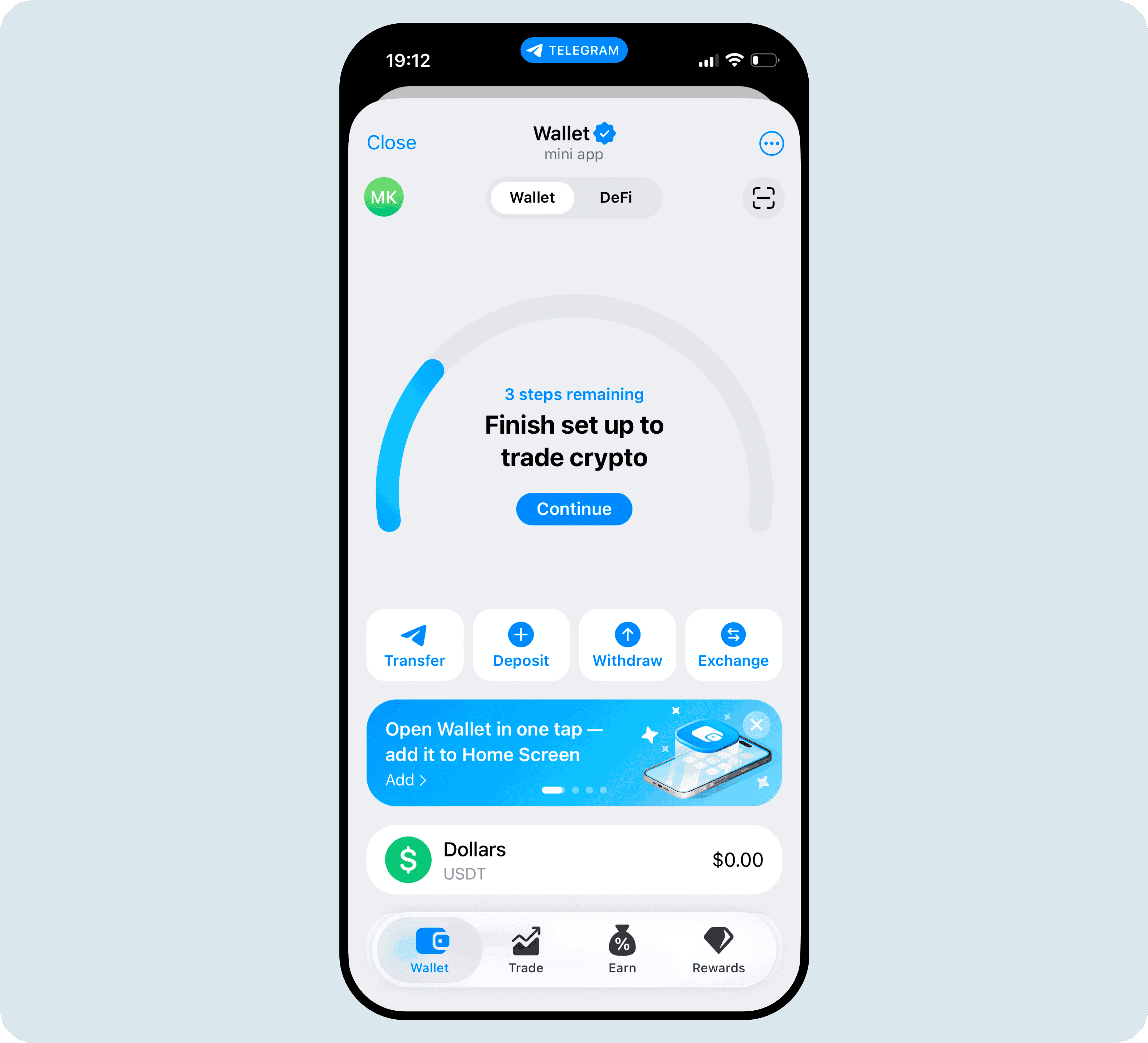
Crypto Wallet — reachable from the attachment icon in any Telegram chat — is a good example of what this actually feels like in practice: balances, send/receive flows, its own navigation, all without leaving the chat.
If you're building a subscription service, a marketplace, or an iGaming platform, you're almost certainly building a Mini App, not a simple bot. The setup steps below apply to both, but the checkout experience is noticeably better inside a Mini App because the payment page can live inside your interface instead of redirecting the user elsewhere.
If you're building a subscription service, a marketplace, or an iGaming platform, you're almost certainly building a Mini App, not a simple bot. The setup steps below apply to both, but the checkout experience is noticeably better inside a Mini App because the payment page can live inside your interface instead of redirecting the user elsewhere.
Telegram Stars vs. crypto gateways
Telegram's Bot Payments documentation requires that digital goods and services sold within a bot or Mini App use Telegram Stars (currency code XTR) — not cards, not crypto. This covers things like unlocking premium content, buying in-app currency for a game, or paying for a digital subscription that's consumed entirely inside Telegram.
Volet.com · Telegram payments check
Stars, or a crypto gateway?
Pick what you're selling. The answer follows Telegram's own Bot Developer Terms of Service, not general advice.
Where crypto payment gateways are the right and legitimate tool:
Services delivered outside Telegram — a VPN connection, hosting, a SaaS product, consulting, anything the user consumes off-platform even if they pay for it inside a Telegram bot.
Physical goods — anything shipped or handed over in person.
Platform balances and deposits — topping up a wallet inside your own app (this is also the practical fix for the subscription problem below).
B2B and cross-border payments — affiliate payouts, marketplace settlements between businesses, which fall outside Telegram's "digital goods sold in-app" definition entirely.
Card payments inside a Mini App's WebView
There's a technical reason crypto tends to feel smoother than cards specifically inside Telegram's environment. Mini Apps run inside a WebView — an embedded browser, not a full one — and card processors often struggle with that environment: anti-fraud checks can misfire, and 3D Secure confirmation windows frequently fail to open properly or fail to hand control back to the page, leaving the customer stuck mid-payment with no clear next step.
Crypto sidesteps this problem, because there's no card network and no 3D Secure step in the loop to break inside a WebView in the first place. Let’s break it down in more detail.
Two ways to accept crypto in Telegram
Of course you’re always free to share a wallet address by hand and check payments yourself — but it doesn't scale past occasional one-off invoices. For anything you're building to last, you're really choosing between two automated models.
Automated custodial acceptance
This is what most businesses actually want. You integrate a payment gateway — via API or Hosted Checkout — and it handles the entire flow:
The gateway automatically generates an invoice and payment details for each purchase, pulling an address from a pool and calculating the amount due.
The customer sends the payment; the gateway automatically matches it to the invoice.
The gateway notifies your backend via webhook once payment is confirmed, so you can deliver access automatically.
Funds are credited to your merchant balance — either in the same crypto the customer paid with, or automatically converted to a stablecoin or fiat, which is useful if your pricing is set in USD and you don't want exposure to crypto volatility.
Inside Telegram, this looks different depending on how you integrate:
Via API, you build the interface yourself in your bot's messages or inside your own Mini App screens.
Via Hosted Checkout, the Mini App opens a webview with a ready-made payment page — no backend development required on your side, and it works the same way whether you're building a bot or a full Mini App.
This is what Volet.com’s Hosted Checkout page looks like
Here, funds never pass through the gateway at all. The customer connects their own wallet directly to your checkout and pays through a smart contract straight to your wallet. The gateway takes a small processing fee but never custodies the funds; settlement happens entirely inside the transaction itself.
The actual user flow looks like this:
Customer taps "Connect Wallet."
They're redirected to their wallet app to approve the connection — on mobile, this opens the wallet app itself; on desktop, a browser extension or QR scan.
They're returned to your checkout.
They confirm the transaction details.
They're redirected to their wallet again to sign the payment.
They're returned to a confirmation page, which waits for the transaction to finalize on-chain before marking the order complete.
One more technical detail: the API notification is not part of the smart contract. The blockchain transfer itself is the only thing that happens on-chain — everything else (updating an order status, granting access, sending a confirmation) is separate backend logic on your side, triggered by the webhook once the gateway detects the transaction.
This exact flow — connect wallet, sign a transaction — is also what scammers imitate. Fraudulent clones of popular tap-to-earn Mini Apps, including Notcoin and Hamster Kombat lookalikes, have prompted users to connect their wallets only for a malicious smart contract to drain funds instantly and irreversibly.
It doesn’t make Connect Wallet unsafe by design, but legitimacy needs to be visibly obvious: a consistent, verifiable payment domain, a fixed and itemized spending approval rather than an open-ended one, and a hard rule that a real checkout never asks for a seed phrase or an upfront deposit — only a signature from the customer's own wallet app.
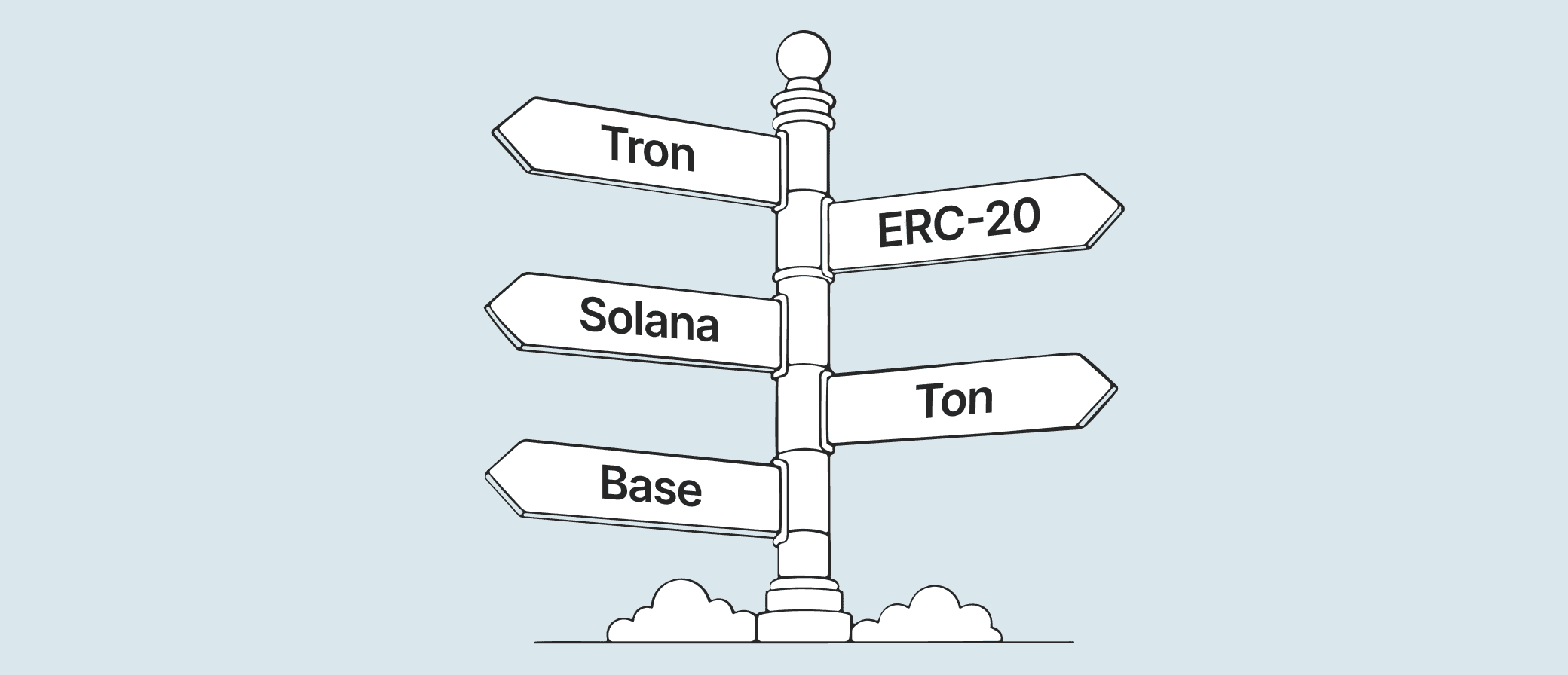
TON (The Open Network), recently renamed back to its original name Gram, is the only choice for TON Connect in the non-custodial flow above. This isn't a recommendation — it's a rule. Telegram's own Bot Developer Terms of Service require that any Mini App touching wallet functionality connect exclusively through TON Connect.
Why Telegram enforces this: TON is Telegram's own blockchain, and the company has a direct, growing stake in its success. In May 2026, Telegram took direct control of TON's infrastructure: the company staked 2.2 million tokens to become the network's largest validator, replacing the TON Foundation as the main operator.
Custodial acceptance through Volet.com's API or Hosted Checkout doesn't run into this at all — there's no wallet-connect step happening inside the Mini App itself, so which assets you can accept isn't restricted the same way.
No blockchain today supports automatic recurring billing the way a card network does — the closest approximations require either giving a smart contract standing permission to pull funds indefinitely (a meaningful security trade-off most businesses shouldn't accept) or building something so fragile it's not worth shipping.
The practical fix is a rechargeable balance instead of a subscription:
The user tops up a balance inside your Mini App using crypto — through the same custodial or non-custodial flow described above.
Your app deducts the subscription cost from that balance on a schedule you control.
You can even hold and display that balance in fiat terms (so the user sees "$9.99 remaining" instead of a fluctuating crypto amount) while still accepting the top-up itself in crypto.
It takes a bit more development work inside your Mini App, but it's the version that actually ships today without asking users to hand over standing permission to a smart contract.
Volet.com's breakdown for both models
Crypto acquiring through Volet.com requires no minimum turnover to start with no setup fees for the API or Hosted Checkout, and no monthly subscription cost.
Model
Merchant fee
Withdrawal fee
Custodial (API or Hosted Checkout)
From 0.25%
From $0.5 flat (more if converting — see below)
Non-custodial (smart contract)
0.25%
None — funds land directly in your wallet
The rate above is the base tier for accepting payment without conversion. Optional conversion at settlement is priced separately — and the most common case, stablecoins into USD, doesn't cost anything extra. Here's what conversion actually costs at settlement:
Example: the VPN service's single $9.99 balance top-up paid in USDT.
Custodial (API or Hosted Checkout):
The customer sends you 9.99 USDT from their own wallet.
You're credited $9.99 minus the 0.25% acquiring fee (about $0.02), so roughly $9.97 lands in your Volet.com business balance.
That balance accumulates with every customer's top-up, and what it costs to get it out depends on what you do next.
Cheapest option: skip fiat and withdraw $1,000 to your own crypto wallet in the same asset — just the flat network fee (roughly $0.5–3.5 depending on the network), so you'd keep roughly $996.50–$999.50.
If you want fiat, convert at the moment you accept each payment (settling in USD instead of holding USDT) rather than converting later — that conversion is free, so withdrawing the resulting $1,000 USD balance to your bank costs only the withdrawal fee, from 1% depending on the method, leaving you with roughly $990.
Converting an already-accumulated USDT balance to USD after the fact, inside your account, costs 1% on top of that — plus the same withdrawal fee — so you'd end up with roughly $980 instead.
Non-custodial (smart contract):
The customer connects their wallet and signs the same 9.99 USDT payment.
The smart contract routes the payment straight to your own wallet, minus the same 0.25% processing fee — you receive roughly $9.97, already sitting in your own wallet.
There's no separate withdrawal step and no withdrawal fee, because the funds never sat with the gateway to begin with.
Scale that up to the same $1,000 in total customer payments used in the custodial example above, and the comparison is straightforward: $997.50 lands directly in your own wallet.
Volet.com helps build your global payments
In fiat, crypto, and stablecoins. Via API, hosted checkout, or easy-to-install plugins. Accept, send, and manage funds — all from code.
No. Hosted Checkout requires no backend development — the Mini App opens a ready-made payment webview.
But a full API integration is also available if you want more control over the checkout experience.
You can start as an individual.
Crypto acquiring has a notably lower barrier to entry than traditional payment rails today: no separate legal entity, business bank account, or dedicated legal counsel required to connect it, and a solo developer can set up custodial or non-custodial acceptance directly.
Yes, with custodial acceptance, incoming crypto payments can be automatically converted to USD or EUR at settlement, so your balance doesn't move with crypto prices even if your customer paid in a volatile asset.
Non-custodial payments settle directly in whatever the customer paid with, since there's no intermediary conversion step in that flow.
Tooling for automating crypto bookkeeping and tax reporting is still much less mature than what exists for card or bank revenue — a genuine pain point if you need clean, audit-ready books.
Converting incoming payments to a stablecoin or fiat at settlement (available with Volet.com’s custodial acceptance) removes the added complexity of tracking crypto price movements on top of the transactions themselves.