See how easy it is to add and withdraw money to/from your trading account on Deriv.
Volet.com, Your One-Stop Money Place
Welcome to Volet.com — the place where your dollars, euros, cards and all kinds of crypto assets live under one roof. Our wallet is supported on many website worldwide as a fast and simple way to add and withdraw money: e-currency or crypto exchanges, various trading or digital creator platforms etc. Today, we’ll show you how it works on Deriv, a reputable trading platform used by millions all over the world. The steps below use a Volet.com personal wallet.
Trade on Multiple Markets with a Single Account on Deriv
Deriv is a popular trading platform that brings currencies, crypto assets, commodities, stocks as well as its own 24-hour synthetic indices together in a single account perfect for pro traders and beginners alike. To start your trading journey, you need to fund your accoutn first. Deriv.com lets you do that with cards, e-wallets or cryptocurrency. First you choose a base currency that works best for you, then you add money via your preferred method, and head straight into trading.
How to Add Money on Deriv with Volet.com
To make sure everything works smoothly, make sure you read and follow the instructions on the payment page. One thing to pay attention to, if you make more than 3 deposits with Volet.com per hour, you may encounter an error message. As long as your internet is stable and you follow the prompts, you should be fine.
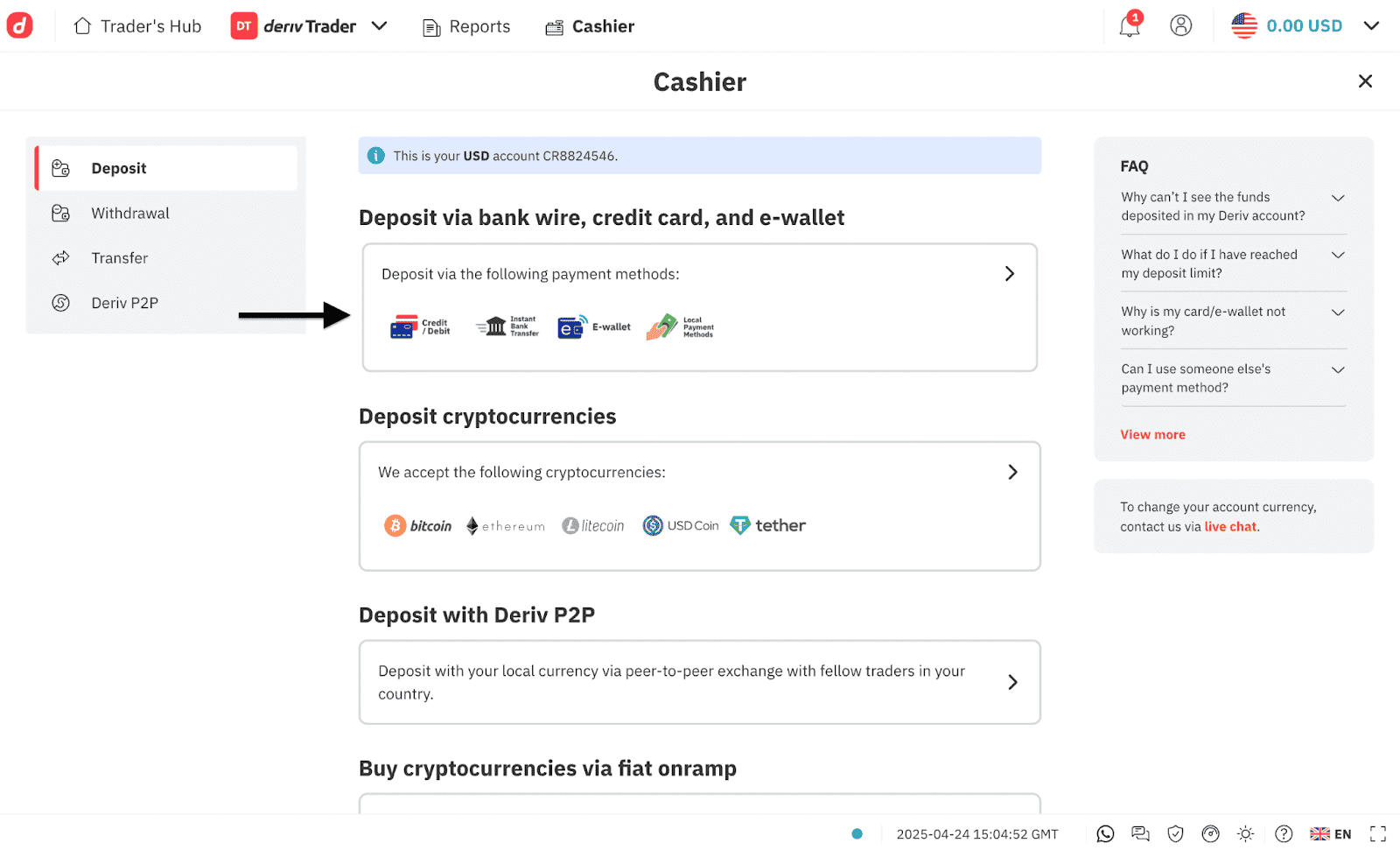
Start your Deriv deposit with Volet in the cashier
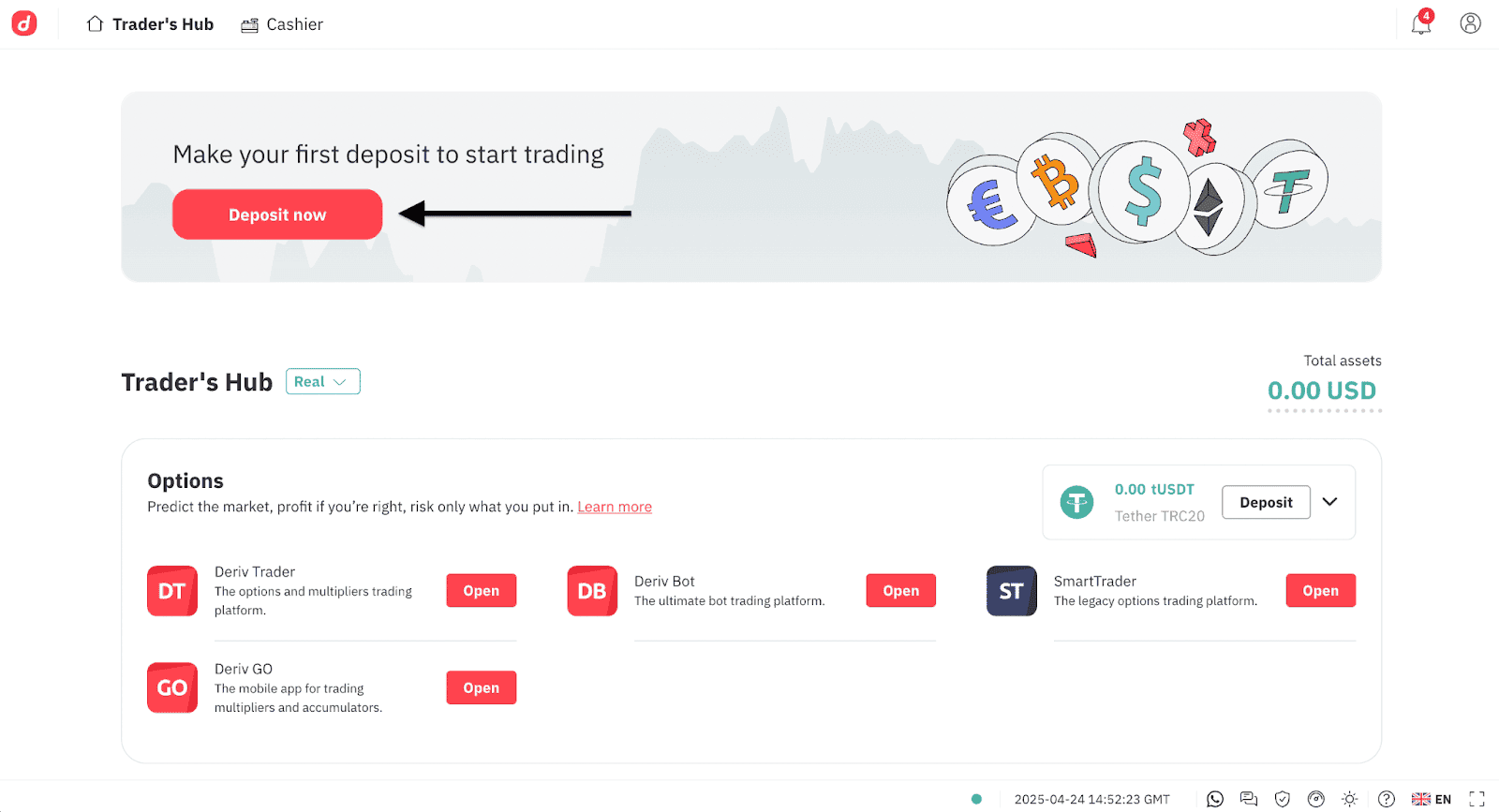
Log in to your Deriv account and click ‘Deposit now’
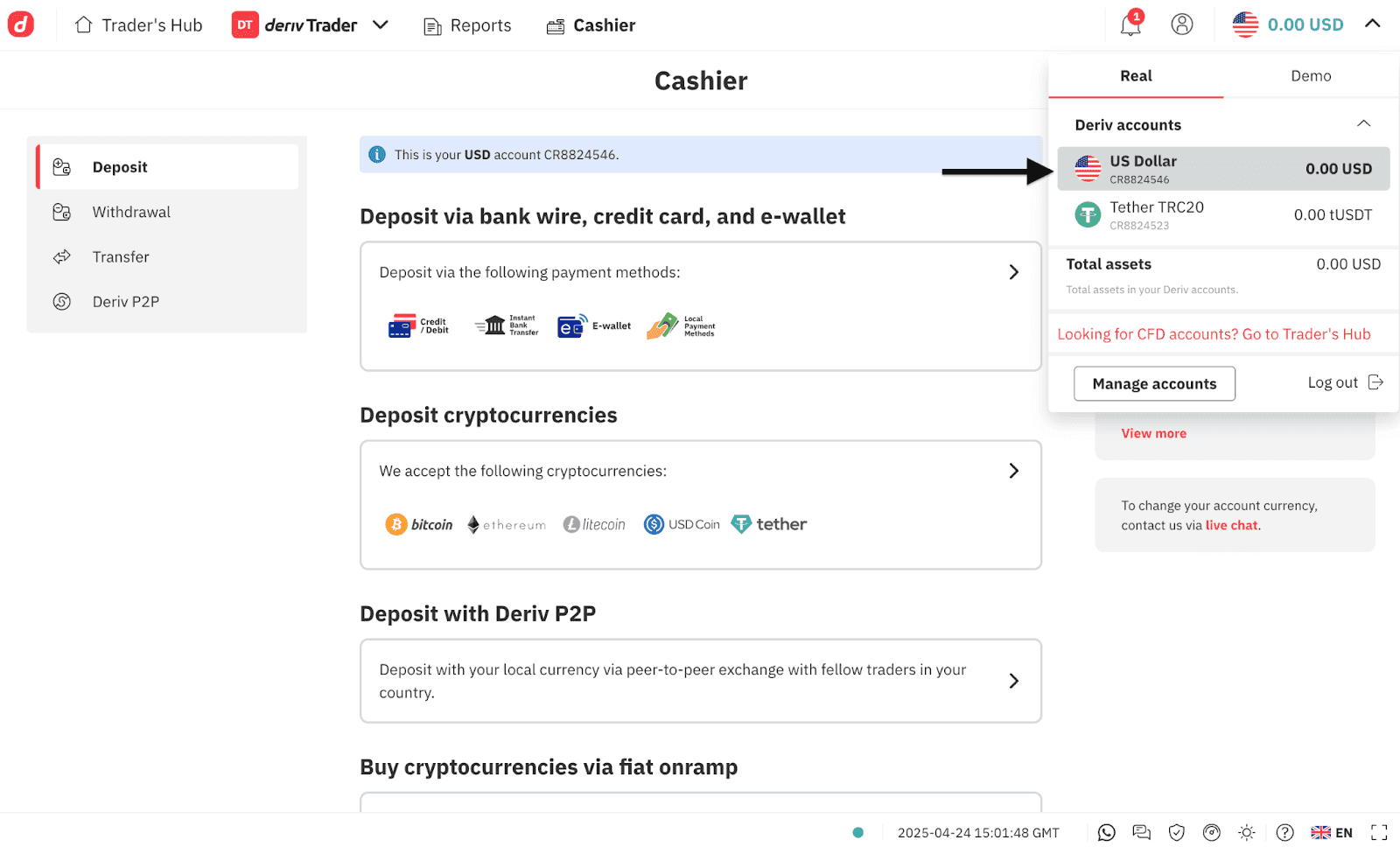
Select your account from the list
Choose the required deposit option
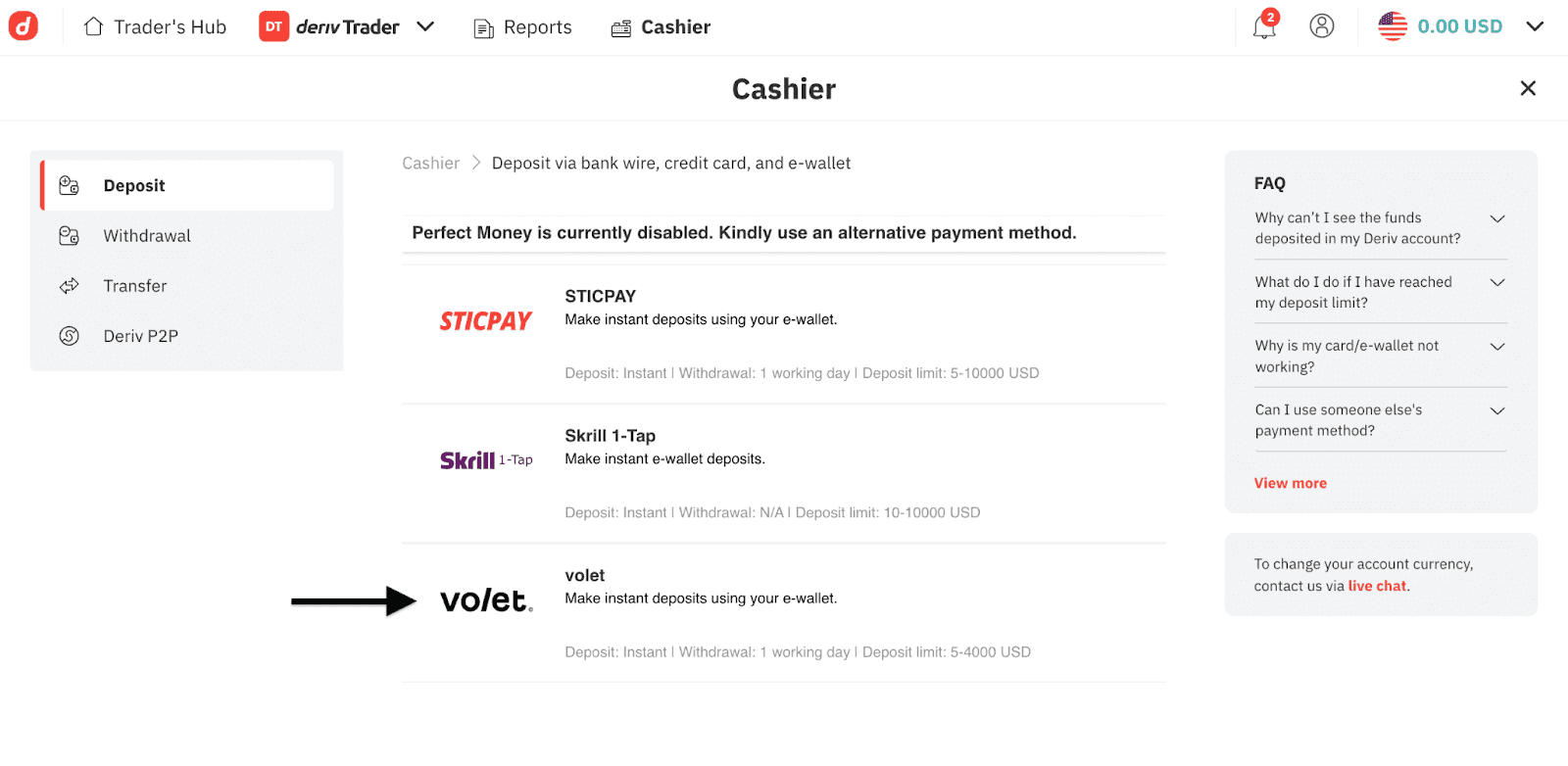
Select Volet.com
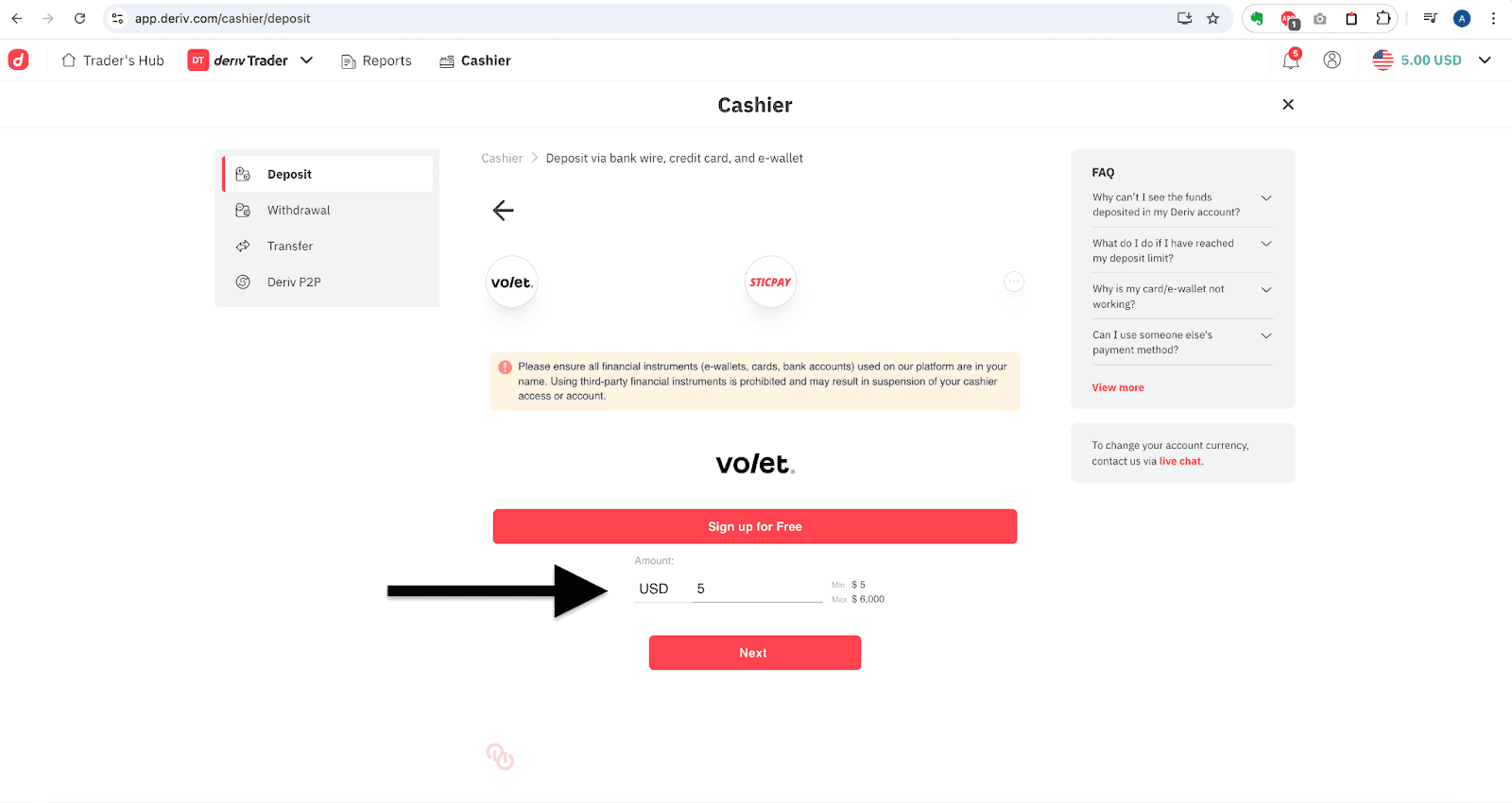
Enter the amount you are adding
Select Volet.com
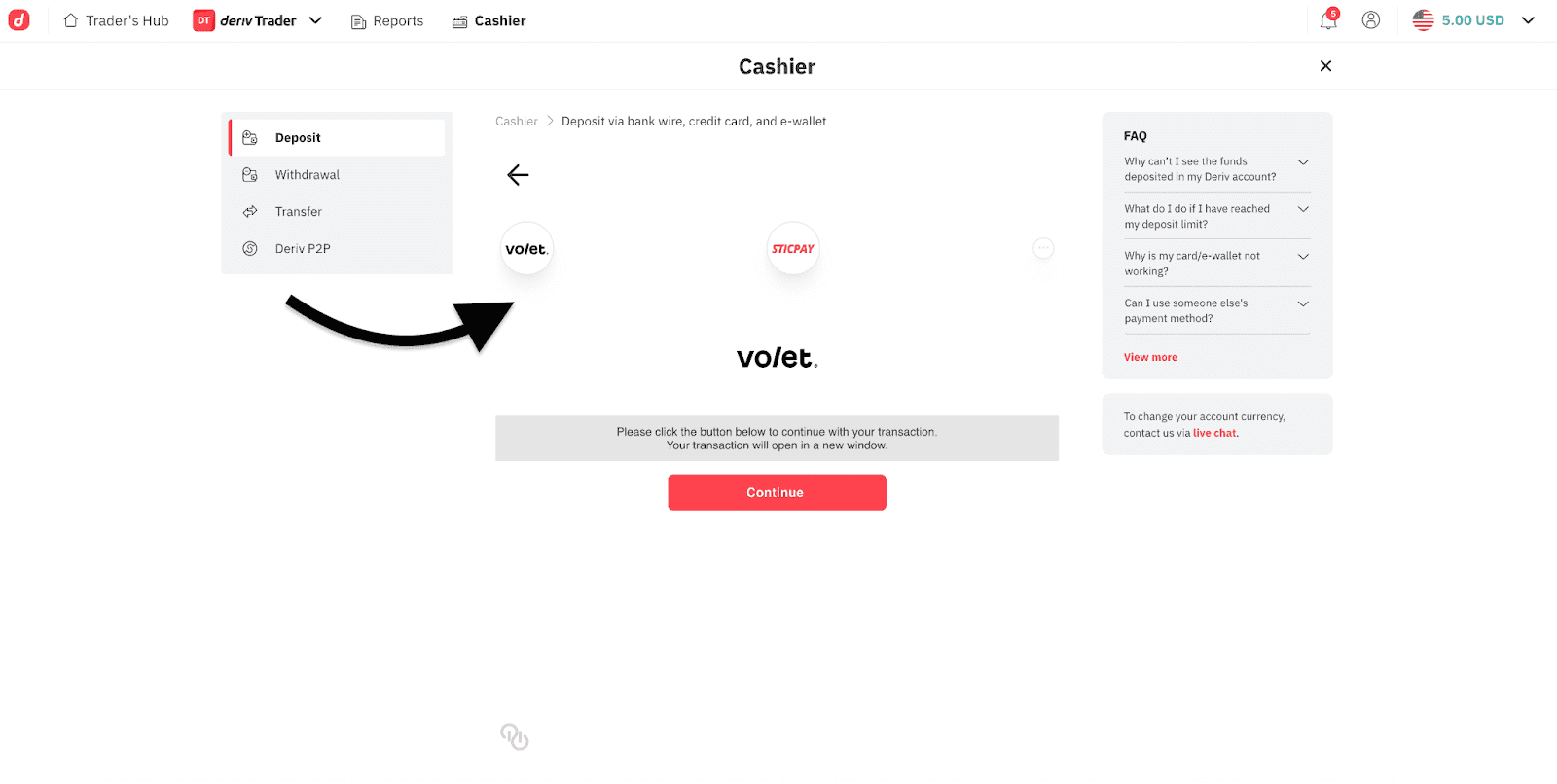
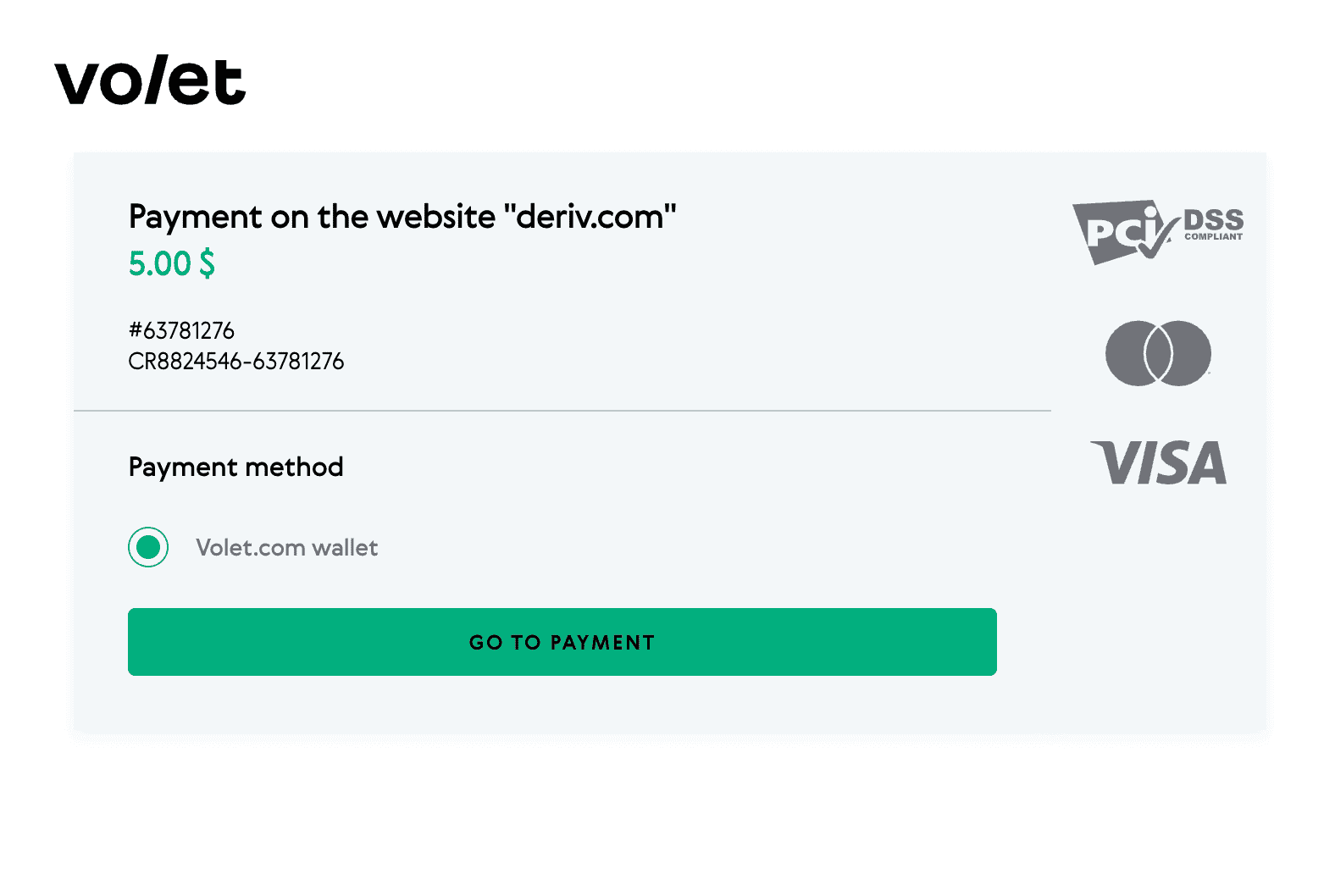
You will then see this pop-up
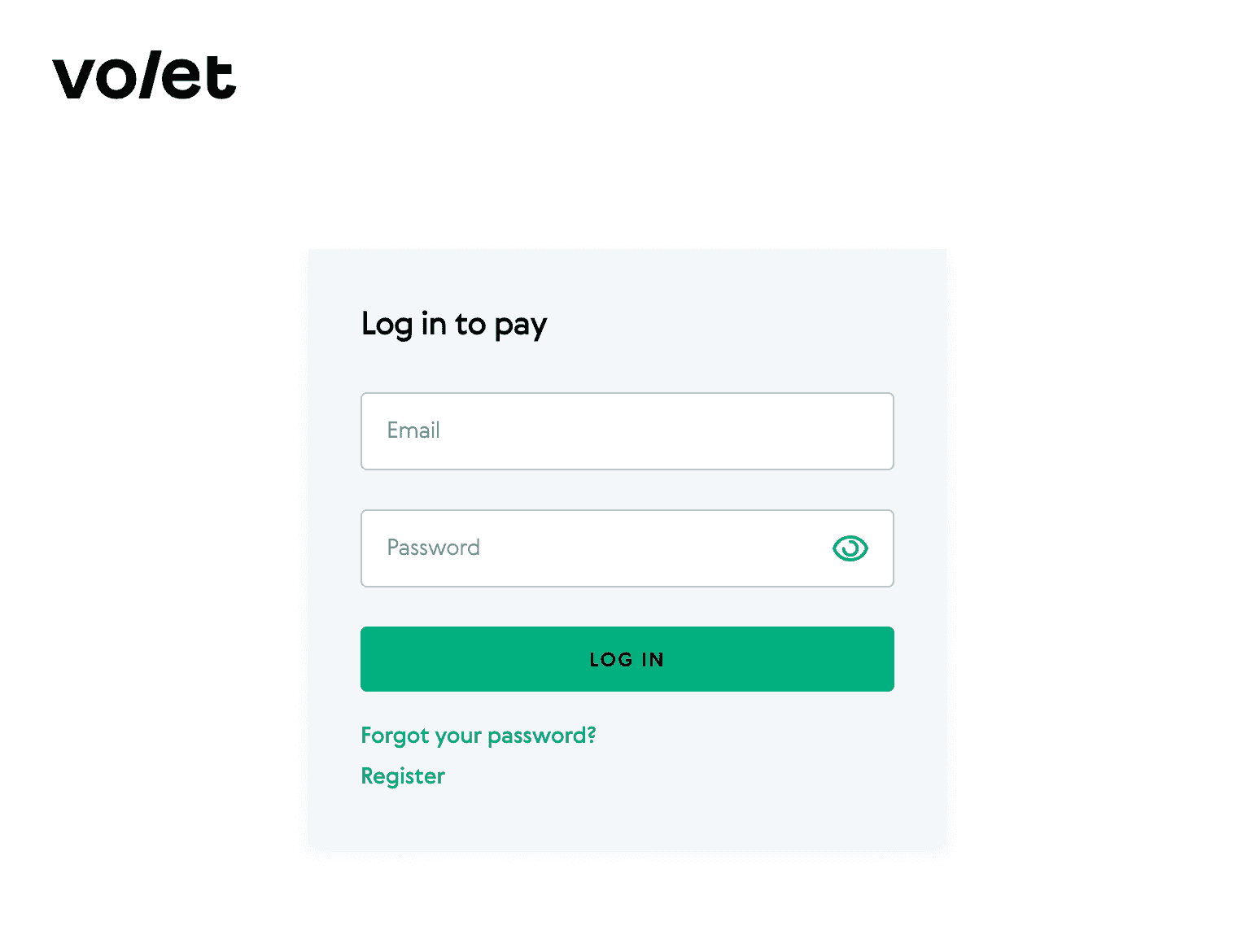
Log in to Volet.com
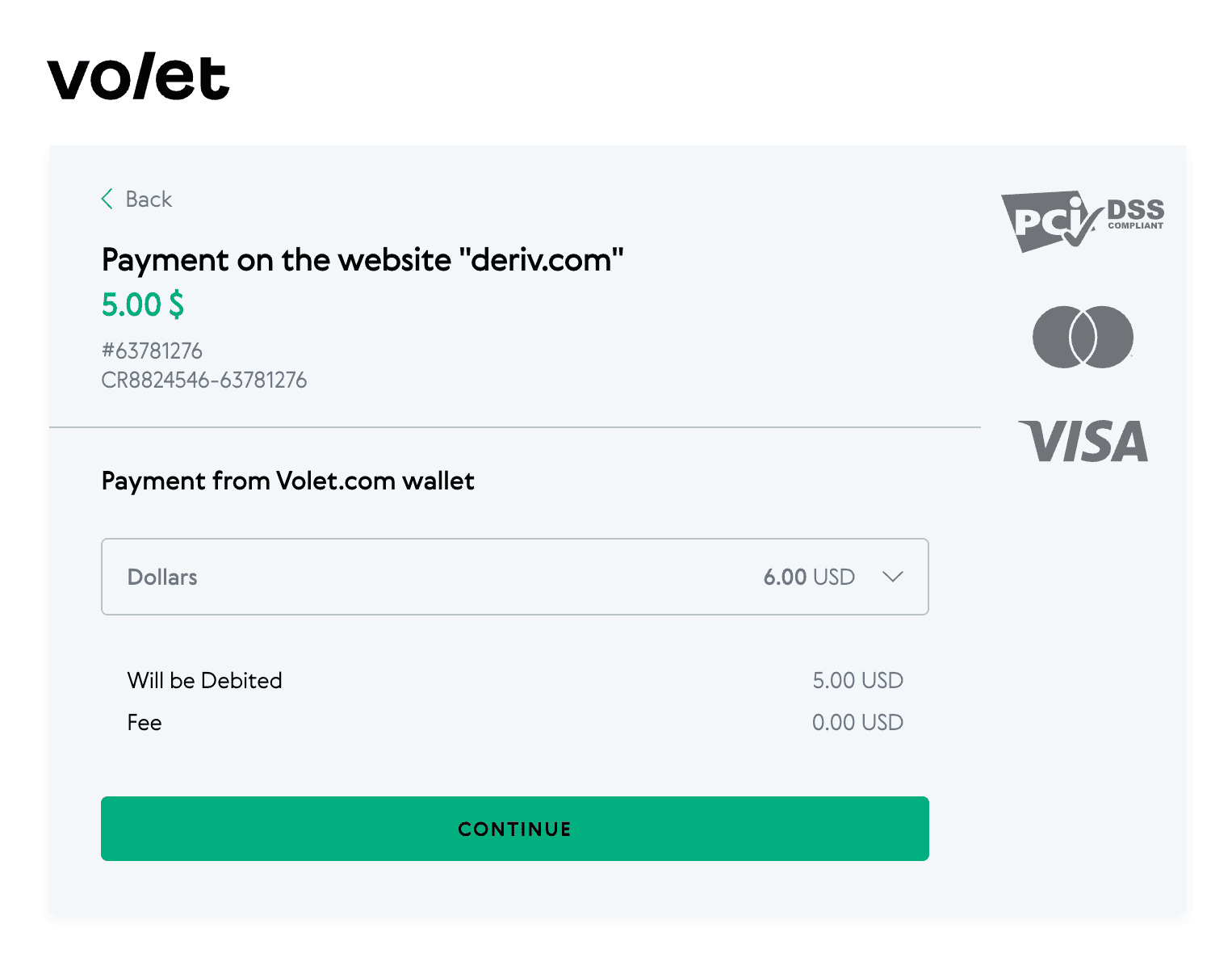
Press ‘Continue’
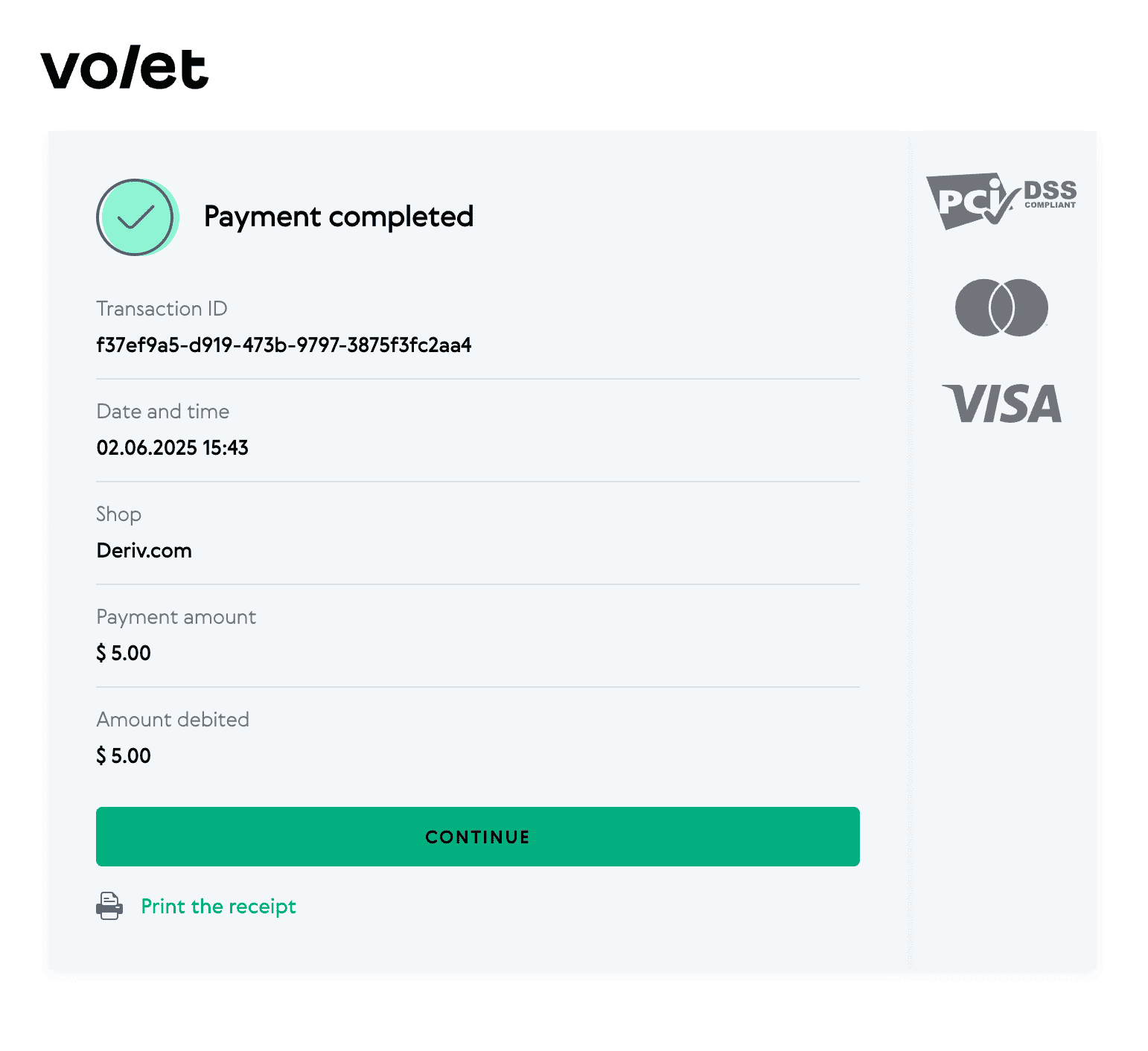
Continue once again
How to Withdraw from Deriv to Volet.com
Now that you‘ve traded on Deriv for a while, time to withdraw these lovely profits. Moving them to Volet.com is a no-brainer, so that you later can buy crypto or move the money to your card or just about anywhere else.
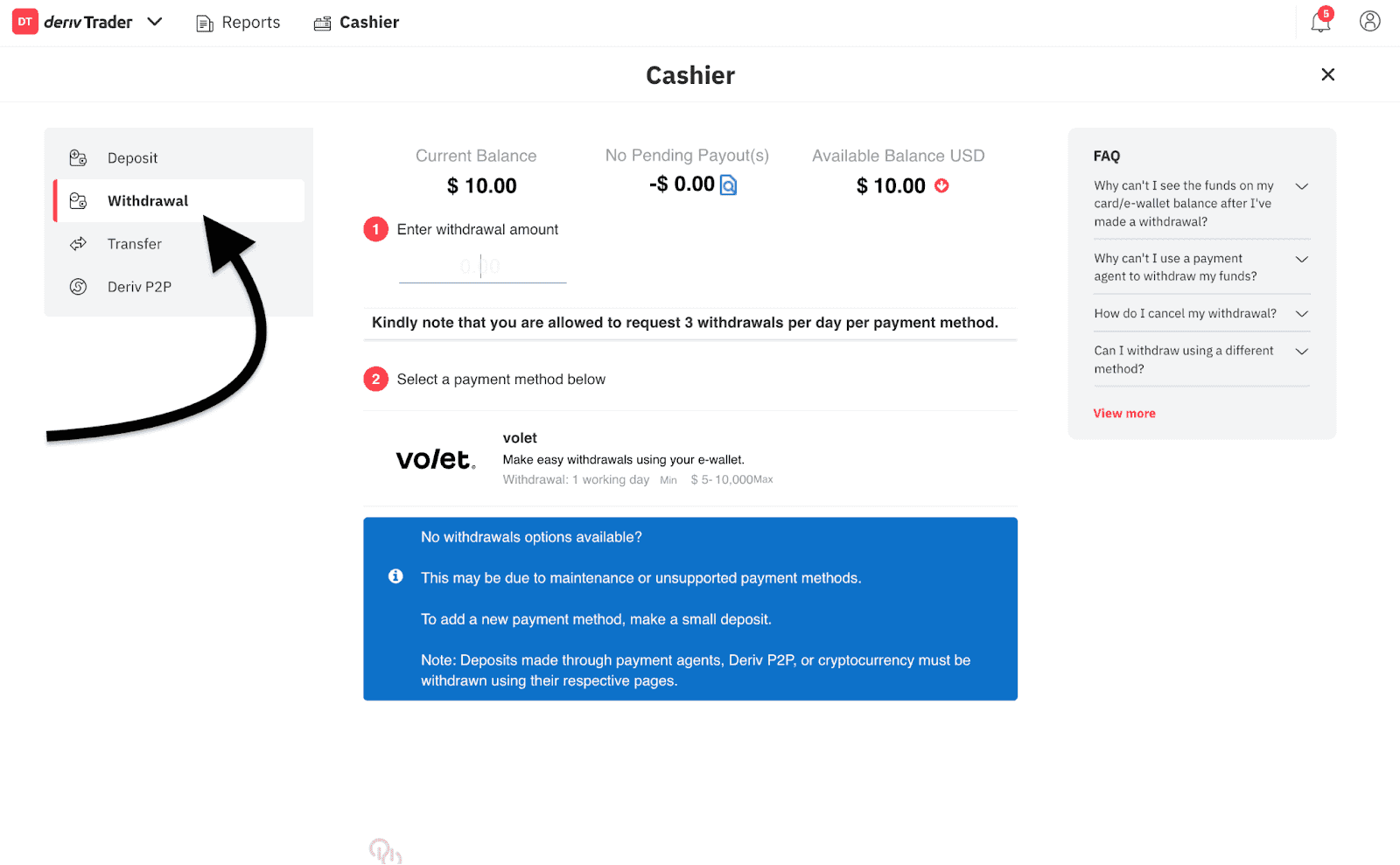
Check your Deriv withdrawal verification status in the cashier. Withdrawals must be requested from a real account. A demo balance cannot be withdrawn.
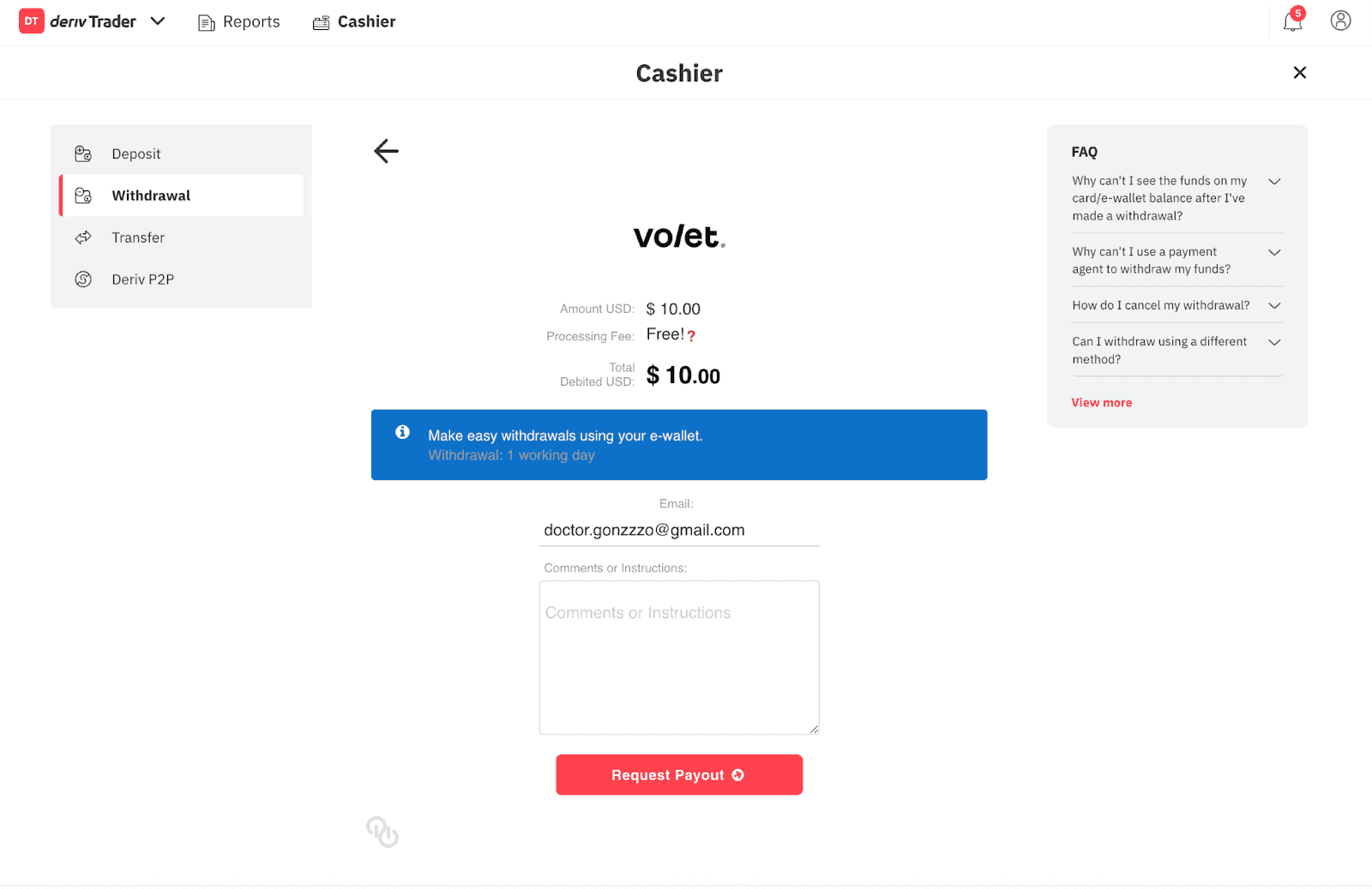
Request a Deriv withdrawal to Volet from your real account
Request Payout
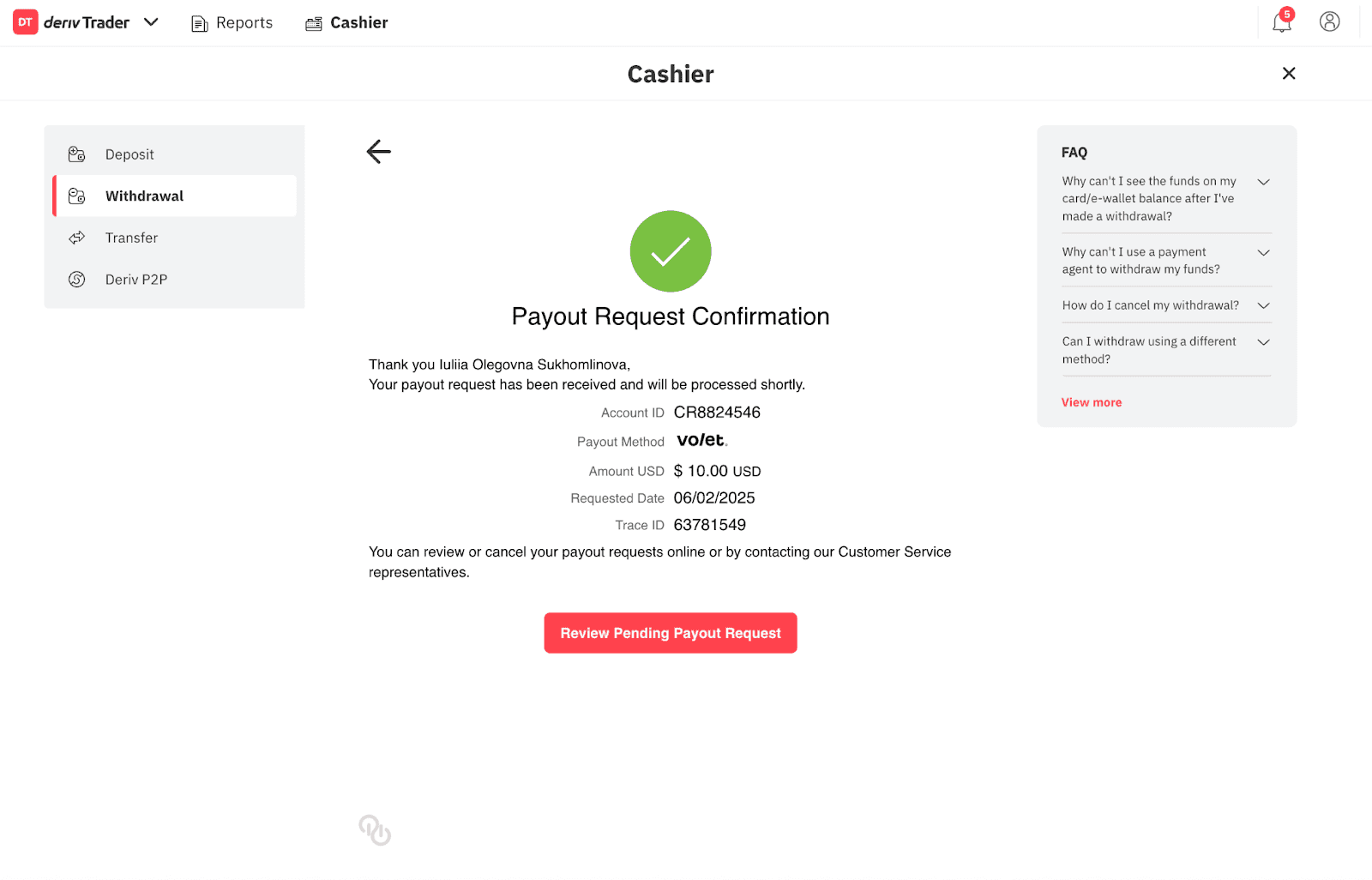
Review Pending Payout Request
Final Thoughts
A Volet.com e-wallet transfer and a crypto transfer use different instructions in Deriv. Check the method selected in the cashier and the available Volet.com payment options before sending.
Look for the Volet.com logo on your preferred exchange, trading, freelancer or creator platform. No logo yet? Get in touch with your favorite platform and ask them to add Volet.com features just like Deriv did!
Overall, Volet.com remains your one-stop shop for all kinds of things money and crypto. Among the things we added just recently, gift card marketplace, Swapper for easy-as-ABC memecoin trading, vouchers, the list goes on. We do not have full-on stock, commodity, Forex trading yet, so head over to Deriv, our valued partners, for that.