How to keep your money in Volet.com safe without messing around with complicated security settings too much
Most crypto theft doesn't happen because someone cracked a blockchain. It happens because a person, a device, or a login got compromised.
According to Chainalysis, personal wallet hacks made up about 44% of all stolen crypto in 2024, up from just 7.3% in 2022. In 2025, roughly 158,000 incidents were recorded, affecting at least 80,000 unique victims. The threat is real, it's growing, and it targets everyday users, not just wealthy crypto holders.
Key Takeaways
Volet.com has a range of account protection tools that are quite easy to set up and use. Beginner users may find basic security precautions and Environment Check in the background sufficient for most situations.
If you are a pro user and/or have significant amounts of money in the account, 2FA (two-factor authentication) via Google Authenticator or Protectimus SMART is a must.
A compromise is to enable a Payment Password or OTPs (one-time passwords) only for withdrawals.
Take a quick test to find out how secure your account is:
Security Score Checker — evaluate how secure your Volet.com account is
How does 2FA work
Two-factor authentication means that to get access to the system you need a second factor in addition to your password. It’s like having a lock with two keys where you need both to open it. Your regular password is key one, and the short-lived one-time password that you get from your 2FA app is key two.
Someone may guess or steal your regular password (read on for tips on how to avoid it). But they will never be able to guess the one-time password you get from your 2FA source for each new action. So, it’s really secure, as long as nobody has access to your smartphone.
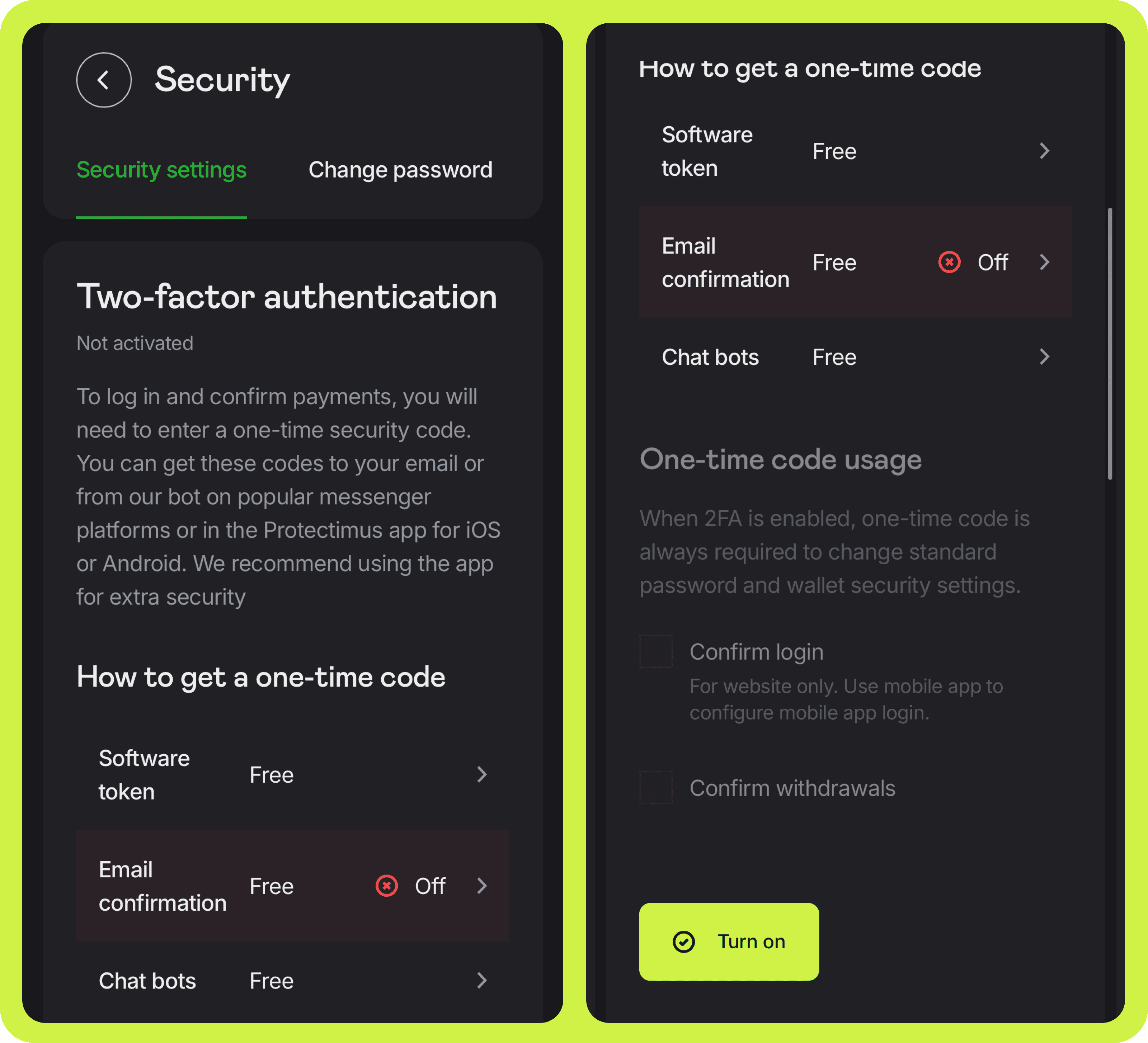
When you enable 2FA in Security settings, you have two options. You can configure a token — your unique security signature — for an app like Google Authenticator or Protectimus SMART. Or you can have one-time passwords sent to your preferred messenger or email.
2FA on Volet.com
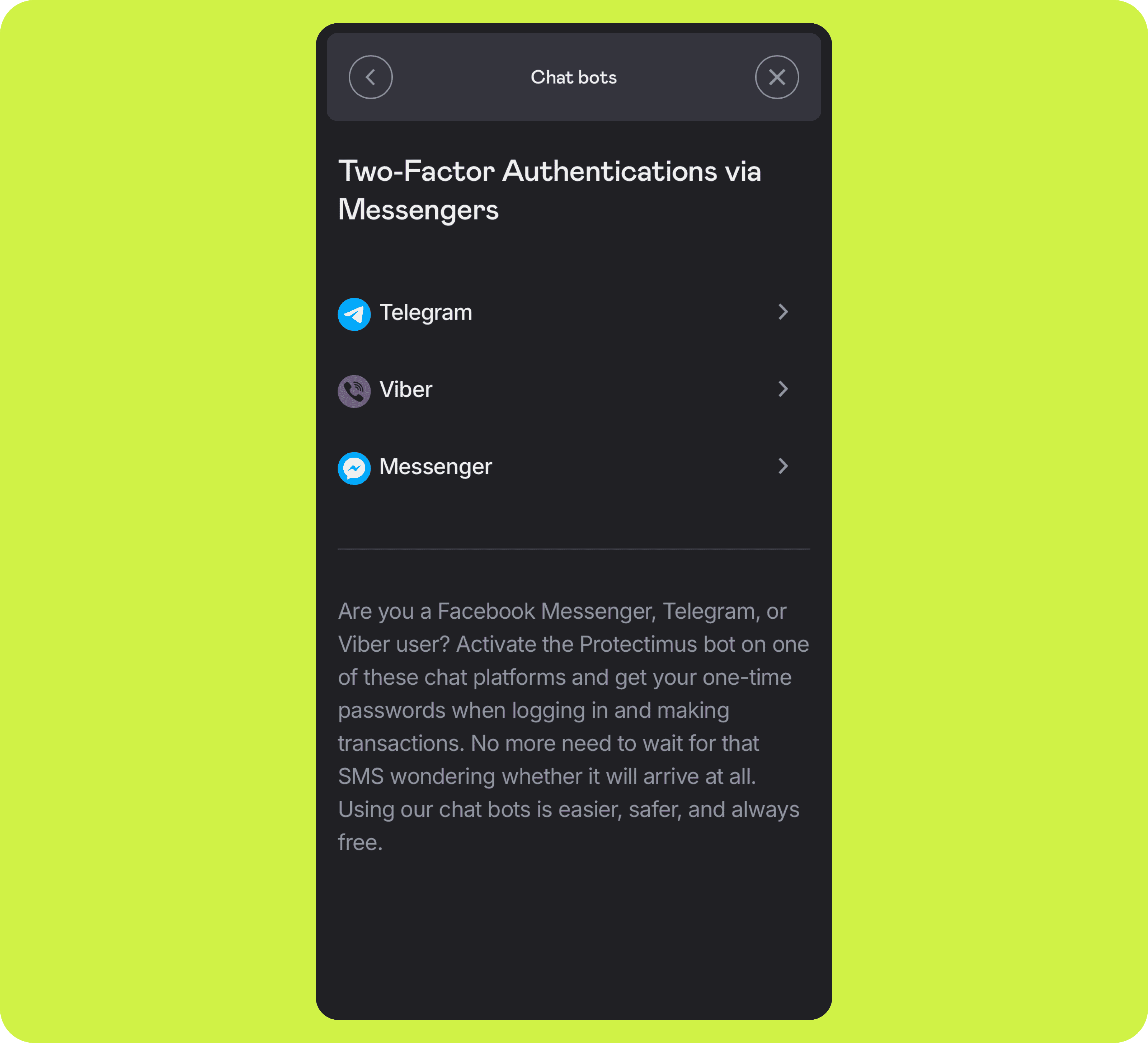
If you don’t use Google Authenticator or Protectimus SMART, just configure the bot and get these passwords to Facebook Messenger, Telegram, or Viber — probably, you have at least one of those on your phone already.
Getting OTPs to messengers may be slightly less secure if you have the same messengers on multiple devices where other people may see them, accidentally or not. If you need that extra layer of security, get one-time passwords from the dedicated Protectimus SMART or Google Authenticator app that only you can open. Restrict access to the app with Face ID or other tools for extra safety.
With 2FA enabled, you’ll need a one-time password to confirm changes to your password and account security settings. Optionally, you can also require 2FA verification every time you sign in to your account and/or make a withdrawal.
If you keep serious amounts of money in your Volet.com account, enabling and using 2FA is an absolute must.
To make things even safer, use the dedicated OTP app instead of getting the one-time passwords to messengers.
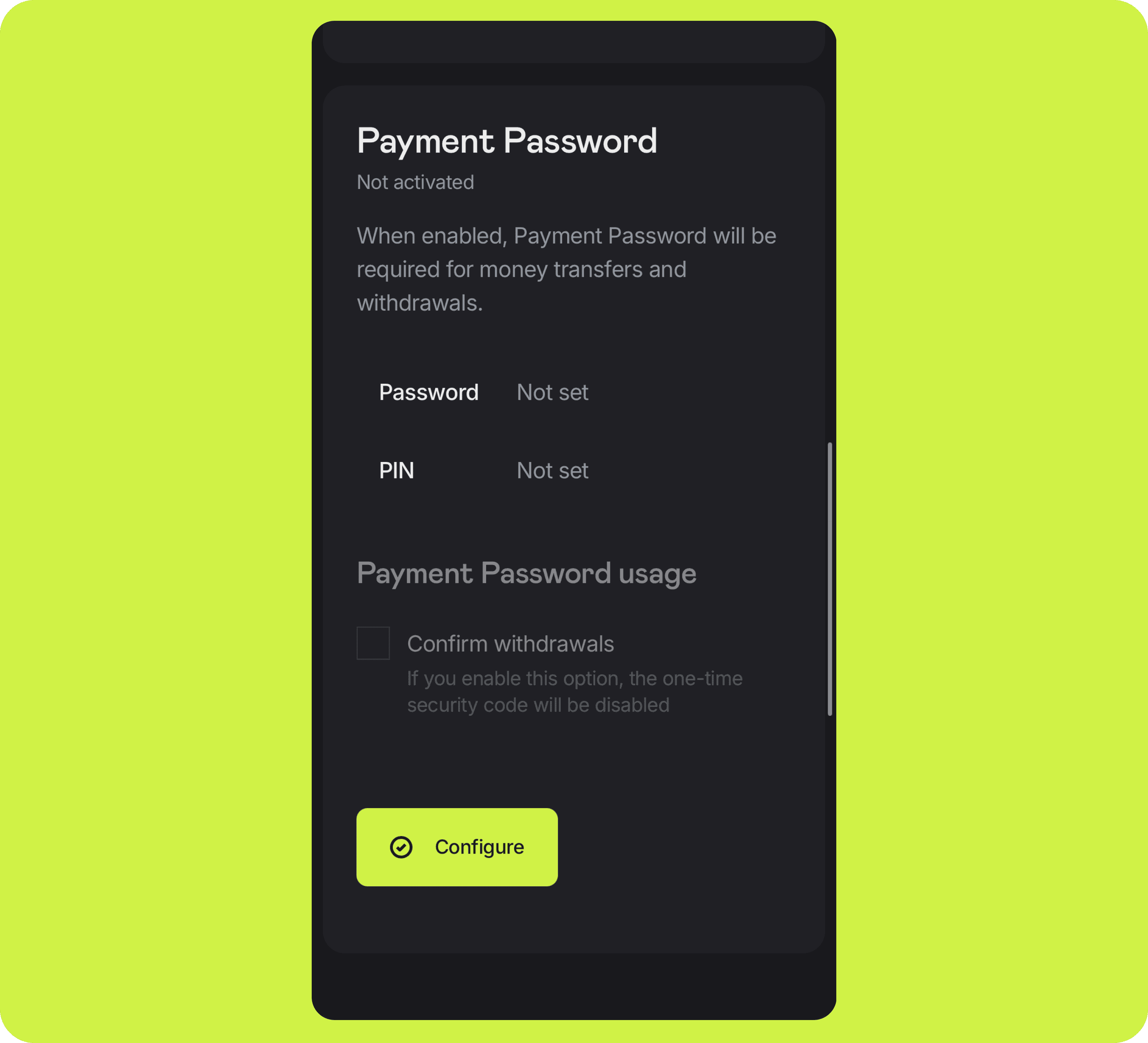
Yes, we know, entering an OTP every time you want to log in may seem a little too much. So if you do not keep a lot of money in Volet.com you can enable a Payment Password or OTPs (one-time passwords) only for withdrawals. This way, you won't have to enter an additional password every time you log in to check your balance or transaction status, while your funds remain protected by an extra layer of security when you withdraw money.
Other security settings applied in Volet.com accounts
Environment Check. Background monitoring at login that detects if you're signing in from a new environment (IP address, location, or device). If a new environment is detected, the system will either ask you to confirm it by clicking a link in the confirmation email or enter a one-time code. The link needs to be opened from the same device where you're logging in. This protects your account against phishing attempts. If you don't recognize the request, don't confirm it — contact support instead.
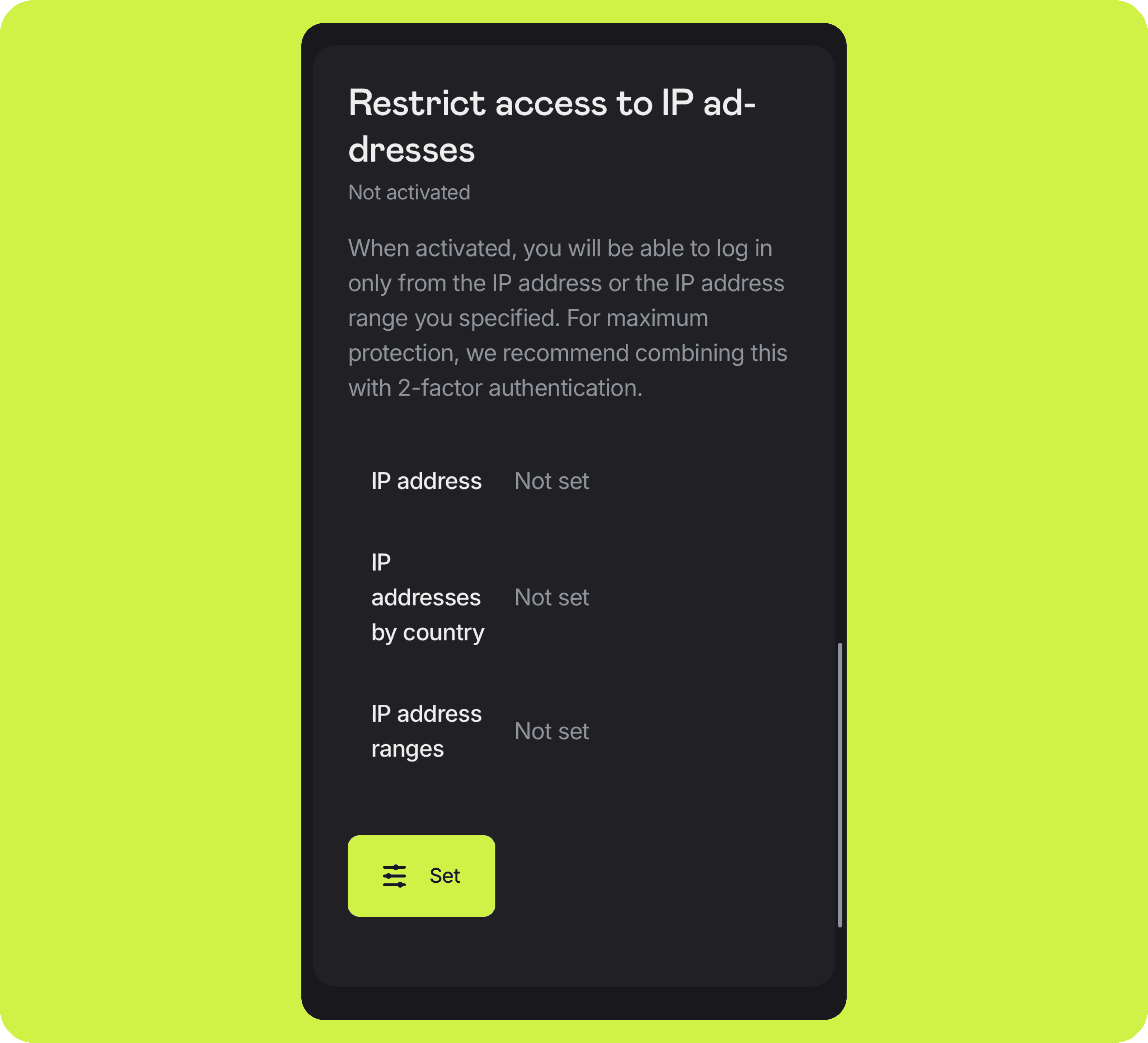
IP Address Binding. Restricts account access to a specific IP address or a range of IP addresses. Enable only if your IP address does not change (check with your provider). Secure, but mostly for advanced users.
Payment Password. Confirm payments with a static password. Less secure than 2FA, but easier to use. For better security, set a unique password that is significantly different from your regular account login password.
Login history. Security settings → Login history lets you see a list of your recent logins, including the date, IP address, and device used. It's worth checking this regularly — an unfamiliar entry can be the first sign something is wrong.
Make sure your Volet.com password is strong. Never re-use passwords from other sites. Strong passwords consist of uppercase and lowercase letters, numbers, and special characters, which makes them virtually impossible to guess. Re-using passwords from other sites is dangerous because other sites may be hacked and criminals may try to use the passwords they obtained to access your finances.
Use a password manager, don't rely on memory. Most people have dozens, if not hundreds, of online accounts. Remembering a unique, strong password for every one of them isn't realistic — and when memory is the only option, people end up reusing the same password everywhere, or falling back on weaker, easier-to-remember ones.
A password manager solves this by generating and storing a unique, strong password for every account, so you only need to remember one master password.
Do not open suspicious links and emails — whether you receive them on your desktop, laptop, or mobile phone. Check all your devices for viruses and malware with reputable antivirus products. Update your antivirus products regularly.
Never overestimate the security of your email. If a hacker gets access to your email account, it becomes a lot easier for them to do serious damage. Protect your email with a strong password and 2FA and follow the security tips of your email provider.
Always make sure you log in only on Volet.com. Do not google ‘Volet.com login’ to log in. Fraudulent websites you find via Google may be Volet.com clones built to steal your passwords — and your 2FA codes along with them, if you enter them there too.
Beware of Scammers
We’ve seen cases where scammers impersonate our support team and contact users directly on Telegram, trying to gain access to their accounts. Users who post comments about technical issues are particularly vulnerable, as scammers can use this information for social engineering.
Volet.com support will never contact you privately through messaging apps. We will never ask you to share your email address, wallet number, password, OTP, Payment Password — whether over the phone, in a voice message, or in a chat.
If you have a problem or need assistance, please contact support only through our official channels:
Never share any passwords or other sensitive account details with anyone on Telegram, WhatsApp, or any social media.
If someone claiming to be from Volet.com asks for any of this, stop communicating with them and contact support yourself through the official channels.
Security on our side
Volet.com runs its own layers of protection on the infrastructure side — the parts you don't see, but that matter just as much.
Account access is backed by an open two-factor authentication standard (OATH) together with Strong Customer Authentication under PSD2, a European payment security regulation. Data is encrypted using hardware security modules (HSM), and the platform runs behind attack-protection and Web Application Firewall (WAF) systems. Volet.com's processes are also PCI DSS certified — the industry standard for handling card and payment data securely.
On top of that, Volet.com runs a bug bounty program: independent security researchers are invited to test the platform and are rewarded for reporting real vulnerabilities before anyone else can exploit them.
No system can promise to be unbreakable — that's exactly why these layers work together rather than relying on any single one. Account security isn't only on you: it's shared, with real infrastructure behind it.
Start sending and receiving money today
Use stablecoins for global reach and local fiat rails for easy top-ups and withdrawals.
Prevent unauthorized access to your account and funds by following these tips:
Use Two-Factor Authentication (2FA). Get one-time passwords to a mobile app on your phone.
Choose and configure security tools to protect your account in the Security Settings section.
Change your password regularly (click on your name in the top right corner → Security Settings → Change password).
Do not log in to your account from search engines. To avoid scams, fraudulent websites, and emails copying Volet.com design, make sure you enter your credentials only on https://volet.com or https://account.volet.com.
If you received a suspicious email, check the sender carefully. Never click links in suspicious emails, and if you clicked one, never enter your password there. If you are not sure that the email was sent by Volet.com, please contact our support team.
Do not use the same password for your Volet.com account and other websites. If any website is asking for your password for Volet.com, do not enter it.
If you cannot find the email in your Inbox, check Spam, Promo, and other folders. If you still cannot find the email, click Re-send PIN.
If it did not help, please create a ticket with details for our support operators to look into.
Account security is crucial for all users, not just tech-savvy ones or those storing large balances.
Volet.com emphasizes that even casual users benefit from enabling basic protections. For those handling more significant funds, enhanced tools like two-factor authentication offer stronger defenses against unauthorized access.
Ignoring security may seem convenient, but a single breach can result in financial loss and data exposure. Ensuring your account is secure is a simple step that protects your entire digital footprint.
Two-factor authentication adds an extra layer of protection to your Volet.com account by requiring not only a password but also a one-time code generated by an app like Google Authenticator or Protectimus SMART.
This means that even if your password is compromised, unauthorized access is still unlikely. Volet.com users can choose between app-based, email-based, or messenger-based OTPs. Apps offer a higher level of safety.
Enabling 2FA is strongly recommended for users storing funds or making frequent transactions.
Because a SIM-swap may happen when someone convinces your mobile carrier to move your phone number onto a SIM card they control. Once your number is theirs, they can receive any text sent to it, including one-time codes and password-reset links from any service that verifies you by SMS.
If you want extra protection against SIM-swapping specifically, most mobile carriers let you set a PIN or passcode that's required before your number can be transferred to a new SIM.
Protectimus is an established provider of data security solutions and 2FA products.
We partnered with a smaller, more dedicated security firm from the start. This helped us build reliable security practices into every layer of Volet.com as we grew. 2FA by Protectimus is perfectly embedded into the Volet.com environment, works seamlessly, and does not require costly external support.
At the same time, you can actually use 2FA tokens by Protectimus from Volet.com in your Google Authenticator app. They’re perfectly compatible.
Digital identity security is crucial because it ensures that only authorized individuals can access sensitive financial data and perform transactions.
In Volet.com’s accounts, tools like Environment Check help verify user identity by checking IP address, device, and location patterns. These measures prevent account takeovers, phishing attacks, and unauthorized logins, making digital identity a frontline defense for anyone using online payment platforms or storing value in fintech systems.
Secure login methods such as two-factor authentication or strong password practices are essential to protect fintech accounts.
Volet.com recommends using app-based OTPs like Google Authenticator. Combined with login alerts and Environment Check, these methods help detect suspicious access attempts early and maintain full control over account safety.
Online payment safety is a core focus at Volet.com, achieved through multiple customizable tools like Payment Password, Environment Check, and advanced 2FA options. These layers help confirm transactions and detect suspicious behavior automatically.
Users can also restrict access by IP. Whether you store funds or move them quickly, these tools are designed to secure every payment action without complicating the user experience.