Open Telegram, search for @wallet bot in the search box, start a chat with it, and tap the blue Wallet button next to the chat box. The bot will immediately connect you to the wallet.
Add TON Tokens to Your Telegram via Volet.com
- 2024-11-07
- Julia Gerstein
- 2 min
Easily integrate TON tokens into your Telegram experience with step-by-step guidance using Volet.com


Follow simple instructions by tapping the buttons that appear. If you’re not verified with Telegram or haven’t agreed to the terms of use yet, make sure to do both.
In the wallet, tap the Plus button, selecting Add Crypto, and choose External Wallet from the options — Bank Card, Express Purchase, P2P Market, and External Wallet.

Select TON from the list of crypto coins.

Tap Continue to receive the address — a long string of letters and numbers.

Copy this address to your clipboard, head over to Volet.com, and click on the Buy Crypto tab.
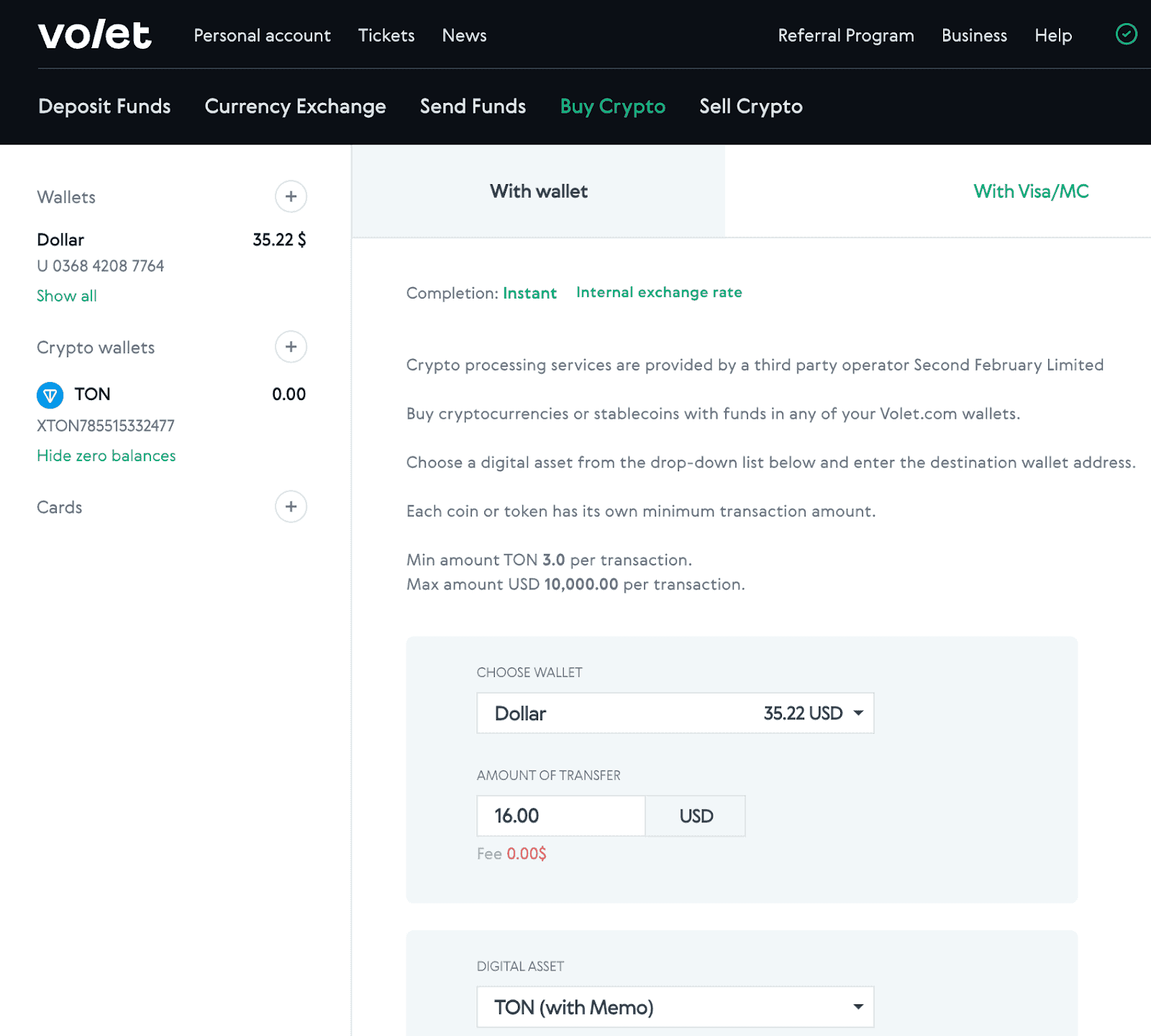
Make sure to select the With Wallet button and enter the amount you want to spend. Note that the minimum amount of TON per transaction is 3 TON.

Insert the TON Address. Here’s a cool tip: When you're dealing with TON on Volet.com, you’ll notice there’s not just the fee box, the amount to be bought, the amount to be credited and the TON address itself but also TAG/Memo. For this, you can simply enter 0 or 1.
Why is this important? Well, many exchanges use a limited number of accounts for deposits and rely on memos to sort deposits for different users. If you forget to include a Memo in those cases, you might risk losing your funds.
But don’t worry about that here! Putting 0 or 1 in the Memo box is perfectly fine.
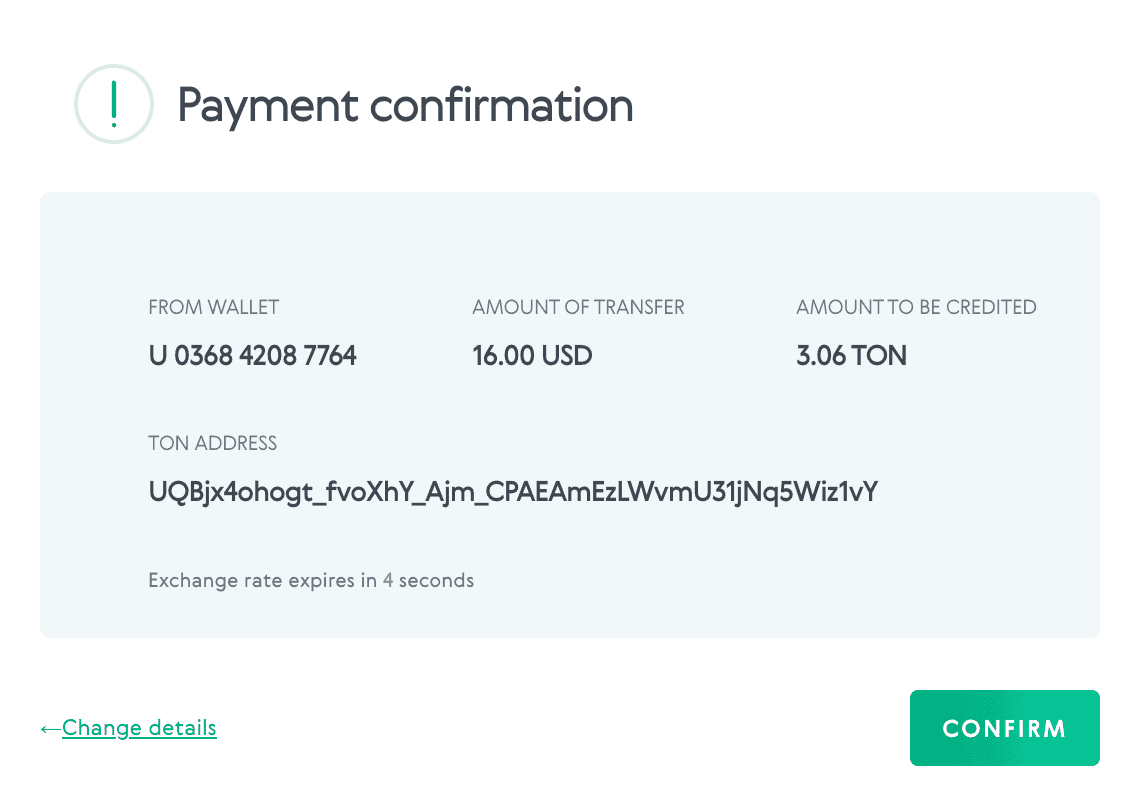
Keep in mind that 3 TON is the minimum amount required. The exchange rate will determine how many coins you can buy at once
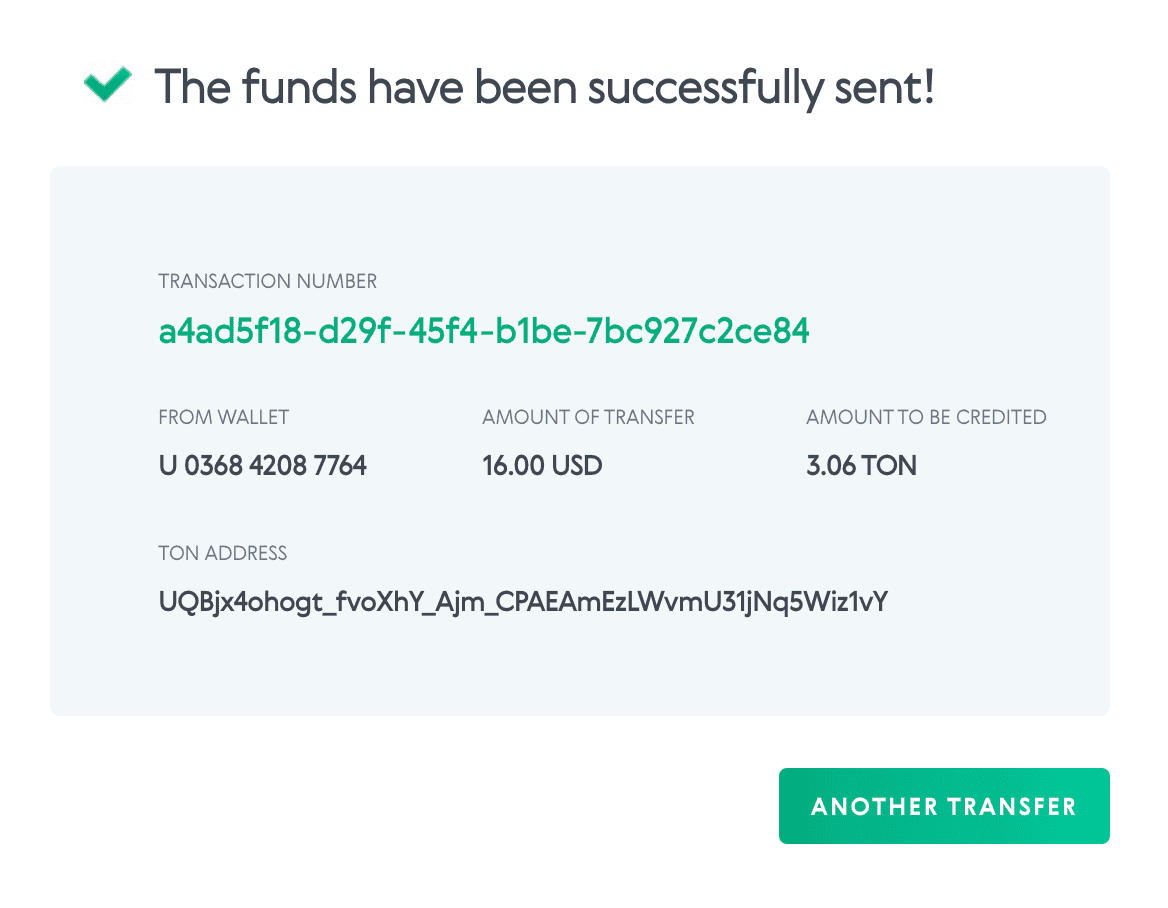
Once the amount is credited to your Telegram wallet, you'll receive a message. It should look something like this:

You're all set! Your TON is now in your pocket!
The TON blockchain is a decentralized network originally developed by Telegram and now maintained by the open-source community. It powers the TON token and supports fast, low-fee transactions directly within Telegram via @wallet. By leveraging TON, Telegram users can buy, send, and receive crypto seamlessly in a familiar interface. Its integration with platforms like Volet.com allows easy onboarding, making it ideal for users new to crypto but active in messaging apps.
A Telegram crypto wallet allows users to access, store, and transfer digital assets like TON directly within the Telegram app using the @wallet bot. This integration eliminates the need for third-party platforms, offering a seamless experience with intuitive navigation. By connecting Volet.com to your Telegram wallet, you can easily fund your account, track balances, and manage transactions—all in one place. It’s a convenient gateway for casual and active crypto users alike.
To buy TON with card on Volet.com, simply navigate to the “Buy Crypto” tab, choose the amount you wish to purchase, and select TON as your target currency. After pasting your TON wallet address from Telegram, proceed with the card payment. Volet.com supports fast and secure purchases with bank cards, allowing users to fund their Telegram wallets instantly without going through complex exchange platforms
Crypto transactions involving TON via Volet.com and Telegram are designed to be fast, simple, and secure. Once you generate your TON wallet address in the @wallet bot, you can use it to receive tokens purchased through Volet.com. The platform ensures clear fee breakdowns, real-time confirmations, and minimum transaction requirements (3 TON). This makes it easy for users to complete transfers and monitor their assets directly within the Telegram ecosystem.
Your TON wallet address is a unique identifier required to receive TON tokens into your Telegram wallet. After setting up the @wallet bot in Telegram, you’ll be provided with this address, which must be pasted into the appropriate field on Volet.com during the purchase process. Remember to input “0” or “1” in the Memo field, as TON does not require complex tagging here, making the transaction simpler and safer than on many other exchanges.
Do More With Your Money
Manage digital money effortlessly: send, receive, and exchange crypto for business and everyday life
Let’s talk about your payment needs!
Message your manager in any language:
Author

Julia Gerstein
I’m a journalist turned crypto writer, explaining digital finance by day and finishing my sci-fi saga by night.
Follow us to never miss a new article